As an Amazon Associate, TrueNorth Tech X earns from qualifying purchases. Read our affiliate disclosure.
Looking for the best portable SSD UK shoppers can actually rely on? You’ve probably narrowed it down to the usual four: Samsung’s T7 and T9, and Crucial’s X9 and X10. They all look like they do the same job, a small box that holds your games, photos or backups, but the spec sheets hide one big catch. The speed on the box only turns up if your USB port can keep up, and plenty of ports can’t.
This is a researched guide rather than a hands-on review. Every spec below comes from Samsung’s and Crucial’s own datasheets and product pages, linked as we go, and we’ve been careful not to pad anything out. The aim is simple: match the drive to the port you’ve actually got and the job you actually need doing, so you don’t pay for speed you’ll never see.
Prices change often. Tap Check price on Amazon for today’s price.
Quick picks
- Best for most people: Samsung T7 1TB. 10Gbps, up to 1,050MB/s, slim metal body, hardware encryption, three-year warranty.
- Best budget 2TB: Crucial X9 2TB. Same 10Gbps class as the T7, tiny 65 x 50mm shell, but no hardware encryption.
- Best for tough jobs: Crucial X10 2TB. 20Gbps, up to 2,100MB/s reads, IP65 dust and water resistance, 3m drop rating.
- Best for long-term peace of mind: Samsung T9 2TB. 20Gbps, up to 2,000MB/s, and the only one here with a five-year warranty.
First, check your USB port
This is the bit most guides skip, and it matters more than the brand. The four drives fall into two speed classes:
- 10Gbps (USB 3.2 Gen 2): the Samsung T7 and Crucial X9. Both are rated at up to 1,050MB/s.
- 20Gbps (USB 3.2 Gen 2×2): the Samsung T9 and Crucial X10, rated at up to 2,000MB/s and 2,100MB/s respectively.
A 20Gbps drive only hits its rated speed on a port that supports USB 3.2 Gen 2×2. Samsung says as much in the small print for the T9: the host device and the cable both need Gen 2×2 support, with UASP mode enabled. Plug it into an ordinary 10Gbps port and it drops back to roughly T7 speeds.
Mac owners, take note. Apple’s own USB controllers don’t support USB 3.2 Gen 2×2, so a 20Gbps drive plugged straight into a Mac falls back to 10Gbps, as owners on Apple’s support community have confirmed. If you’re on a Mac, a 20Gbps drive gives you no extra speed. Buy it for the toughness or warranty if you like, but not for the headline number.
On Windows, look up your motherboard or laptop spec sheet. If it lists a “USB 3.2 Gen 2×2” or “20Gbps” USB-C port, a T9 or X10 makes sense. If it only says “USB 3.2 Gen 2” or “10Gbps”, save your money and buy a 10Gbps drive. Thunderbolt and USB4 ports don’t automatically guarantee Gen 2×2 either, so check the exact wording.
1. Samsung T7 1TB: best portable SSD for most people
The T7 has been the safe pick for years, and nothing about the spec sheet suggests that’s changed. According to Samsung’s T7 datasheet, it uses USB 3.2 Gen 2 (10Gbps) with sequential reads up to 1,050MB/s and writes up to 1,000MB/s. It measures 85 x 57 x 8mm, weighs about 58g, and is drop-resistant up to 2m in Samsung’s own testing on a metal plate.
It also has AES 256-bit hardware encryption with optional password protection through Samsung’s software, and Samsung’s brochure lists both USB-C to C and USB-C to A cables in the box. That’s handy if you’re moving between a new laptop and an older desktop or console.
Who it suits: laptop backups, carrying work between home and the office, and a simple game vault for Xbox or PS5. If your ports are 10Gbps, which most are, this is all the speed you’ll get anyway. You can also find it in our shop.
Pros
- Slim metal body that slips into any pocket
- Hardware encryption and password protection
- Both USB-C and USB-A cables included
Cons
- Three-year warranty, not five
- No dust or water rating
- Samsung notes drop damage isn’t covered by the warranty
2. Crucial X9 2TB: best budget 2TB portable SSD
If you want more space without stepping up to 20Gbps, the X9 is the sensible alternative. Crucial’s X9 page lists reads up to 1,050MB/s over USB 3.2 Gen 2, capacities of 1TB, 2TB and 4TB, and a drop-proof rating up to 2m (7.5ft) on a carpeted floor. It’s tiny too, at 65 x 50mm, with a lanyard hole built into the shell.
There are trade-offs, and they’re worth knowing. Crucial only quotes a read speed, not a write speed, and the plain X9 (not the X9 Pro) has a plastic enclosure, no hardware encryption and no IP rating for dust or water. The warranty is three years, or until the drive reaches its rated total bytes written, whichever comes first. Crucial says it ships in exFAT, so it works on Windows and Mac straight away, and lists Xbox and PlayStation compatibility.
Who it suits: anyone who wants 2TB for a console game library or photo archive and doesn’t need encryption or weatherproofing. You can also find it in our shop.
Pros
- Very small and light, with a lanyard hole
- Comes in 1TB, 2TB and 4TB
- Works with Windows, Mac, Xbox and PlayStation
Cons
- No hardware encryption
- No dust or water rating
- Crucial doesn’t publish a write speed
3. Crucial X10 2TB: best rugged 20Gbps portable SSD
The X10 is the toughest drive here on paper. Crucial’s X10 page rates it at up to 2,100MB/s reads over 20Gbps USB-C, with IP65 dust and water resistance and a drop rating of up to 3m on carpet. It comes in capacities from 1TB right up to 8TB and keeps the same palm-sized 65 x 50mm footprint as the X9.
Two things to bear in mind. Unlike the X10 Pro, the standard X10 doesn’t have hardware encryption, so it’s not the one for sensitive work files unless you encrypt them in software. And as with any 20Gbps drive, you’ll only see that headline speed on a Gen 2×2 port; on a Mac or a 10Gbps port it behaves like a 10Gbps drive. The warranty is three years, with the same total-bytes-written limit as the X9.
Who it suits: photographers, travellers and anyone who works outdoors, plus PC owners with a 20Gbps port who want fast transfers in a small case. You can also find it in our shop.
Pros
- IP65 dust and water resistance
- Fastest rated reads of the four
- Big capacity options up to 8TB
Cons
- No hardware encryption on the standard model
- Needs a 20Gbps port to show its speed
- Three-year warranty
4. Samsung T9 2TB: best for long-term peace of mind
The T9 is Samsung’s 20Gbps drive. Samsung UK’s T9 page lists USB 3.2 Gen 2×2, sequential reads up to 2,000MB/s, writes up to 1,950MB/s on the 2TB model, AES 256-bit hardware encryption, and drop resistance up to 3m. It’s chunkier than the T7 at 88 x 60 x 14mm and about 122g.
Its standout feature is the five-year limited warranty, two years longer than anything else here. Samsung’s warranty terms still exclude physical damage, but if you want a drive you won’t have to think about for a while, that extra cover counts for a lot. The catch is the same as the X10: the extra speed only shows on a Gen 2×2 port, and not at all on a Mac.
Who it suits: video editors and creators on Windows PCs with 20Gbps ports, and anyone who values encryption and a long warranty. You can also find it in our shop.
Pros
- Five-year warranty
- Hardware encryption
- Fast reads and writes on a 20Gbps port
Cons
- No dust or water rating
- Bigger and heavier than the others
- No extra speed on Macs or 10Gbps ports
Specs side by side
| Drive | Interface | Rated read | Toughness | Encryption | Warranty |
|---|---|---|---|---|---|
| Samsung T7 | 10Gbps | 1,050MB/s | 2m drop | Yes | 3 years |
| Crucial X9 | 10Gbps | 1,050MB/s | 2m drop (carpet) | No | 3 years* |
| Crucial X10 | 20Gbps | 2,100MB/s | IP65, 3m drop (carpet) | No | 3 years* |
| Samsung T9 | 20Gbps | 2,000MB/s | 3m drop | Yes | 5 years |
Using a portable SSD with Xbox or PS5
All four drives are fast enough for consoles, but the rules on what you can do with them are set by Microsoft and Sony, not the drive makers.
On Xbox Series X|S, Xbox Support says an external drive needs to be USB 3.1 or faster and at least 128GB. You can play Xbox One, Xbox 360 and original Xbox games straight from it. Games optimised for Series X|S can be stored there, but you’ll need to move them back to the internal drive or an expansion card to play them. That still makes an SSD a brilliant “vault”: copying a game back is much quicker than downloading it again.
On PS5, PlayStation’s support page asks for a SuperSpeed USB drive of 5Gbps or faster, between 250GB and 8TB, plugged in directly rather than through a hub. PS4 games play from it, while PS5 games can be stored but need copying back to internal storage or an M.2 SSD to play.
For consoles, the extra speed of a 20Gbps drive buys you very little, so the T7 or X9 is the smart spend. We walk through the setup step by step in how to add storage to Xbox and PS5 with a portable SSD, and if you want to play PS5 games from expanded storage, see how to fit an M.2 SSD in a PS5.
Verdict: which portable SSD should you buy?
For most people, the Samsung T7 is the best portable SSD UK buyers can get without overthinking it. It’s slim, encrypted, comes with both cables, and its 10Gbps speed matches the ports most of us actually have. If you want 2TB for a console library and don’t need encryption, the Crucial X9 is the value choice.
Only step up to the Crucial X10 or Samsung T9 if you’ve checked your PC has a 20Gbps USB 3.2 Gen 2×2 port, or if you specifically want the X10’s weatherproofing or the T9’s five-year warranty. Speaking as someone with Yorkshire roots: there’s no sense paying for speed your port can’t use.
Planning a bigger upgrade? Our guide to the best RAM and storage upgrades for gaming PCs and Xbox covers internal drives and memory too, and our news piece on rising memory and SSD prices explains why storage prices have been creeping up. You can also browse storage in the TrueNorth Tech X shop or our deals page.
FAQ
What is the best portable SSD in the UK for most people?
For most people it’s the Samsung T7. Its 10Gbps speed matches the USB ports on most laptops, PCs and consoles, and it adds hardware encryption and a slim metal body.
Is a 20Gbps portable SSD faster on a Mac?
No. Apple’s USB controllers don’t support USB 3.2 Gen 2×2, so drives like the Samsung T9 and Crucial X10 fall back to 10Gbps on a Mac.
Can I play games from a portable SSD on Xbox Series X|S?
You can play Xbox One, Xbox 360 and original Xbox games from it. Series X|S optimised games can only be stored there and must be moved back to internal storage or an expansion card to play.
Can I play PS5 games from a portable SSD?
No. PS5 games can be stored on USB extended storage, but you need to copy them back to internal storage or an M.2 SSD to play. PS4 games do play from USB.
Which portable SSD is waterproof?
Of these four, only the Crucial X10 has a dust and water rating, IP65. The Samsung T7 Shield, a different model from the plain T7, also carries IP65.
If you’re also kitting out a handheld, our guide on moving games to a microSD card on Steam Deck may help.
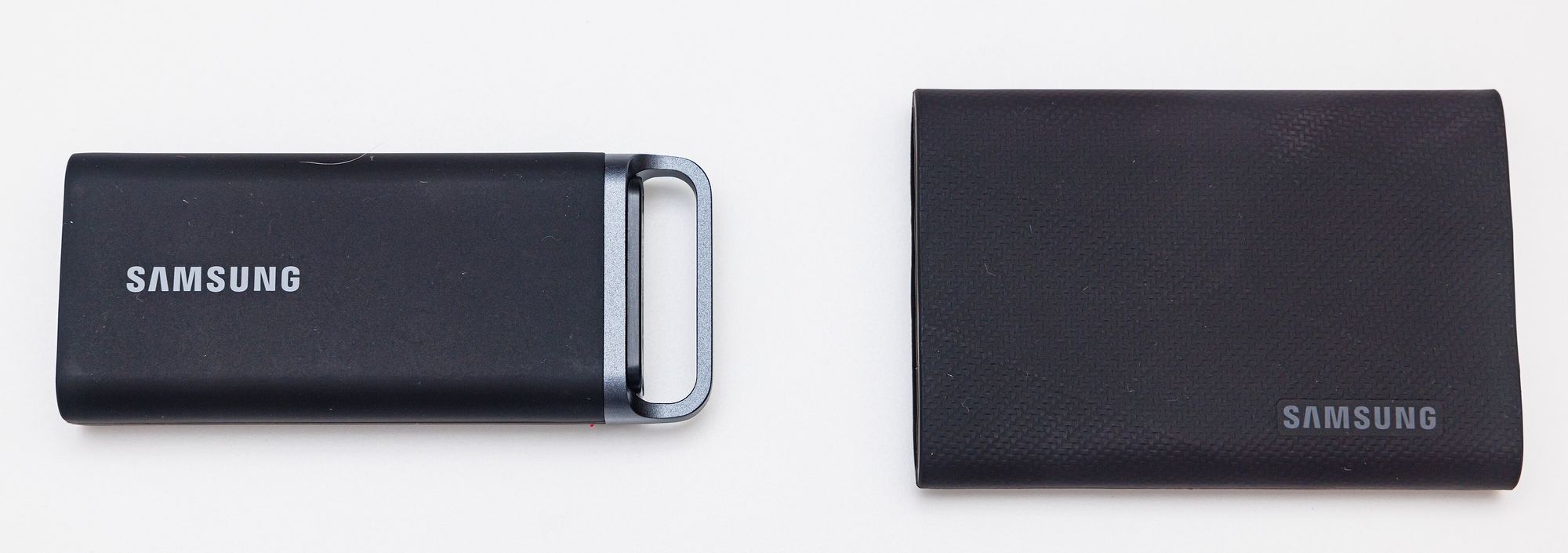
Featured image: Samsung Portable SSD T5 EVO and T9, photo by Dinkun Chen via Wikimedia Commons, licensed CC BY-SA 4.0.