As an Amazon Associate, TrueNorth Tech X earns from qualifying purchases. Read our affiliate disclosure.
If you mostly game on a PC, the 8BitDo Ultimate 2 vs Xbox Wireless Controller question comes up a lot, and for good reason. They cost roughly the same, they share the same Xbox-style layout, and both are bestsellers on Amazon UK. But they’re built for different people. One is a PC-first pad packed with drift-resistant sticks and extra buttons; the other is Microsoft’s own controller that works with almost everything, including an Xbox.
I’ve pulled this together from the official spec sheets and trusted reviews rather than hands-on testing, so you can see the trade-offs before you spend.
Quick answer
- Buy the 8BitDo Ultimate 2 if you play on a Windows PC and want magnetic TMR sticks, Hall effect triggers, four extra buttons, gyro aiming and a charging dock in the box. Check the 8BitDo Ultimate 2 on Amazon
- Buy the Xbox Wireless Controller if you also play on an Xbox console, want a headset jack, or want long AA battery life and the widest device support. Check the Xbox Wireless Controller on Amazon
- Big warning: the Ultimate 2 Wireless is not an Xbox console controller. 8BitDo doesn’t list Xbox anywhere in its compatibility.
Prices change often. Tap Check price on Amazon for today’s price.
Compatibility: the deal-breaker to check first
This is where most people should start. According to 8BitDo’s official product page, the Ultimate 2 Wireless works with Windows 10 (version 1903) and above, Android 13 and above, SteamOS 3.7.13 and above, and Apple devices on iOS, iPadOS, tvOS and macOS 26 and above. On Windows it connects over its 2.4GHz adapter or a USB-C cable, while Bluetooth is for Android and Apple devices only. Xbox consoles aren’t on the list, and TechRadar says plainly that it isn’t compatible with Xbox Series X|S or Nintendo Switch.
The Xbox pad is the safe all-rounder. Microsoft’s spec sheet lists Xbox Series X, Xbox Series S, Xbox One, Windows 10/11, Android and iOS, using Xbox Wireless for consoles and Bluetooth for PCs, phones and tablets. You can also plug it in over USB-C. If you need help getting it going, see our guide on how to connect an Xbox controller to your PC.
| 8BitDo Ultimate 2 Wireless | Xbox Wireless Controller | |
|---|---|---|
| Xbox Series X|S / Xbox One | No | Yes |
| Windows PC | Yes (2.4GHz adapter or wired) | Yes (Bluetooth, USB-C or Xbox Wireless Adapter) |
| Steam Deck / SteamOS | Yes, SteamOS 3.7.13 or above | Not on Microsoft’s official list |
| Android | Yes, Android 13+ via Bluetooth | Yes, via Bluetooth |
| iPhone, iPad and Mac | Yes, on version 26 and above | iOS is officially listed |
| Power | Built-in battery with charging dock | 2 AA batteries, up to 40 hours |
| Extra buttons | 2 back paddles plus L4/R4 bumpers | None (Share button only) |
| 3.5mm headset jack | No | Yes |
Sticks and triggers: the stick drift question
This is the Ultimate 2’s headline feature. 8BitDo uses TMR (tunnel magnetoresistance) joysticks, which read the stick’s position with magnets rather than parts that rub together, plus Hall effect triggers that you can switch between a smooth linear pull and a short tactile click. PC Gamer’s review explains that TMR is more sensitive and accurate than Hall effect and uses less power, and says the upshot is that “you’ll never get drift in any of the critical moving parts”. It also found them far more precise than a standard Xbox controller’s.
Microsoft doesn’t advertise magnetic or drift-resistant sticks on the standard Xbox Wireless Controller. Its selling points are comfort and grip instead: textured triggers, bumpers and back case, plus a hybrid D-pad. If drift has killed a pad on you before, that difference matters.
It isn’t all one-way, though. PC Gamer found the 8BitDo’s sticks and triggers a bit light on resistance, its D-pad mushy and its plastics cheap-feeling, and thought it suits smaller hands better than larger ones. Plenty of people simply find the Xbox shape more comfortable.
Extra buttons, gyro and software
The 8BitDo gives you a lot more to play with. You get two back paddles and two extra bumpers (L4 and R4), 6-axis motion control for gyro aiming, turbo, rumble, a 1000Hz polling rate over the 2.4GHz adapter or cable, and RGB rings around the sticks. You can remap the lot in the Ultimate Software V2 app.
The Xbox Wireless Controller sticks to the basics: the standard layout plus a Share button for screenshots and clips. You can remap buttons and save profiles in the Xbox Accessories app, though Microsoft notes that on Windows this needs a USB-C cable. If you want back paddles from Microsoft, you’re looking at the Xbox Elite Series 2 Core, which we cover in Xbox Wireless Controller vs Elite Series 2 Core.
Battery and charging
The Ultimate 2 has a built-in battery and comes with a charging dock that also hides the 2.4GHz USB-C adapter. Drop the pad in the dock after a session and it’s charged next time. The catch is stamina: TechRadar puts battery life at around 10 to 15 hours and advises switching the RGB lighting off when you’re playing wirelessly, and Nintendo Life also called the battery “a touch weak”. The adapter is USB-C, so an older PC may need a USB-C to USB-A adapter.
The Xbox pad runs on two AA batteries, which Microsoft rates at up to 40 hours (results vary with headsets and use). You can swap in fresh batteries in seconds or buy Microsoft’s rechargeable pack separately. We’ve looked at whether the Xbox rechargeable battery is worth buying if you’re weighing that up.
Headset jack and what’s in the box
The Xbox controller has a 3.5mm headset jack, while Nintendo Life lists the lack of one as a downside on the 8BitDo. The 8BitDo box includes the dock, the adapter and a USB cable. The standard Xbox pad comes without a cable, so check the listing if you want the bundle that includes one.
Which should you buy?
8BitDo Ultimate 2 Wireless
It’s the better buy for a PC-only player who wants drift-resistant sticks, back paddles and gyro without paying Elite money. Our shop has the 8BitDo Ultimate 2 Wireless Controller in black.
Xbox Wireless Controller
It’s the better buy if you also own an Xbox, want a headset jack, prefer AA batteries, or want one pad that pairs with nearly anything. You’ll find the Xbox Wireless Controller in Carbon Black in our shop, and it also comes in Robot White.
Verdict
For PC gaming, the 8BitDo Ultimate 2 gives you more for the money: magnetic sticks, clever triggers, four extra buttons, gyro and a dock in the box. The Xbox Wireless Controller wins on compatibility, battery life and that familiar shape, and it’s the only one of the two that works on an Xbox. So if you play on an Xbox at all, buy the Xbox pad; if you’re PC-only, the 8BitDo is the one I’d point you to. Shopping for someone else? It’s worth a look alongside our best gaming gifts under £50.
FAQ
Does the 8BitDo Ultimate 2 work on Xbox Series X|S?
No. 8BitDo’s compatibility list for the Ultimate 2 Wireless covers Windows, Android, SteamOS and Apple devices, but not Xbox consoles. If you need a pad for an Xbox, buy the Xbox Wireless Controller or a licensed Xbox controller.
Does the 8BitDo Ultimate 2 get stick drift?
It uses TMR magnetic sticks and Hall effect triggers, which are designed to avoid the wear that causes drift. PC Gamer’s review says you’ll never get drift in the critical moving parts, but no controller comes with a lifetime guarantee, so keep your receipt.
Which has better battery life?
The Xbox Wireless Controller is rated at up to 40 hours on AA batteries. TechRadar measured around 10 to 15 hours for the Ultimate 2, though it charges in its dock between sessions.
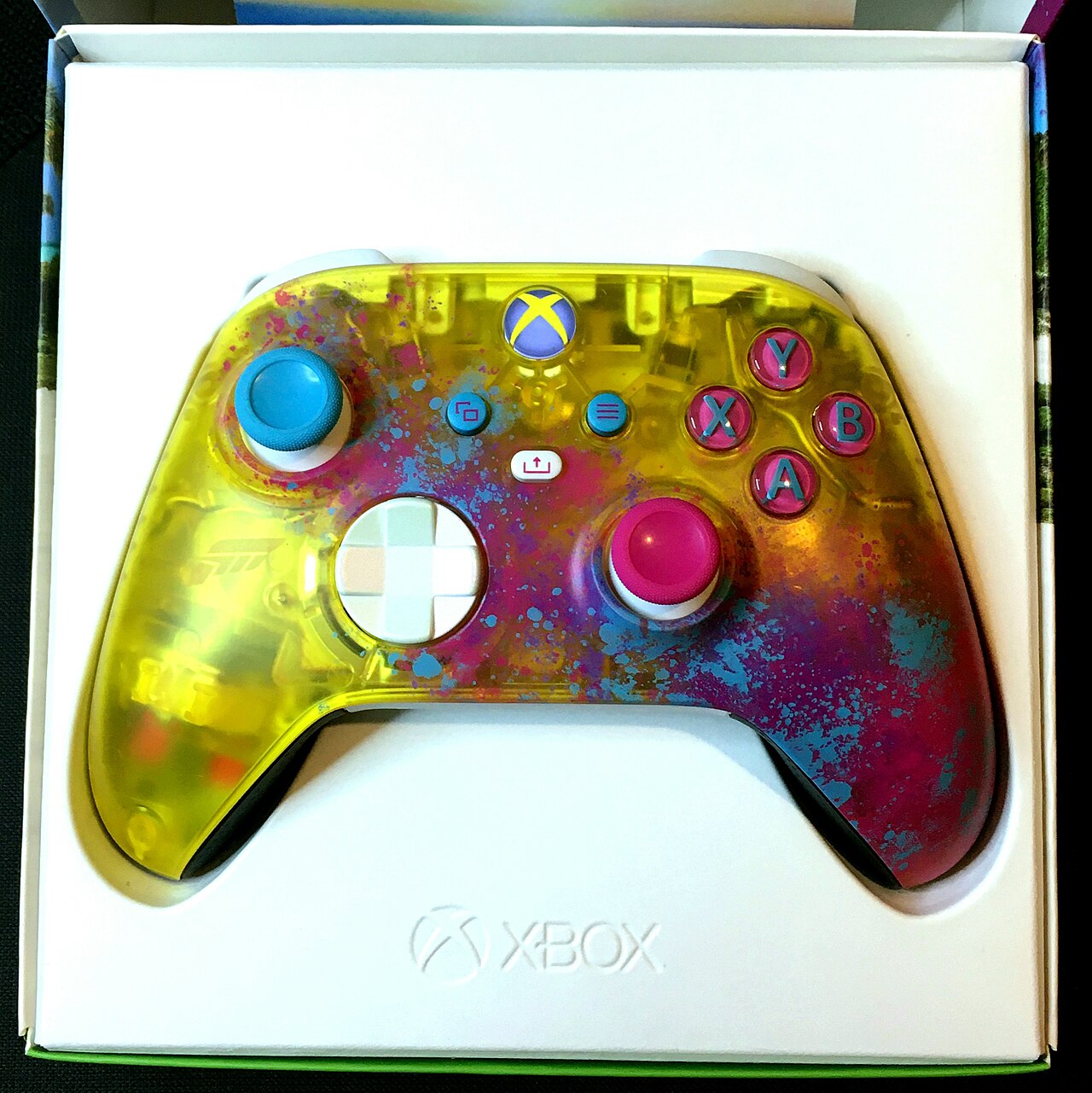
Featured image: Xbox Wireless Controller (Forza Horizon 5 Limited Edition) by NickRan via Wikimedia Commons, CC BY-SA 4.0.