As an Amazon Associate, TrueNorth Tech X earns from qualifying purchases. Read our affiliate disclosure.
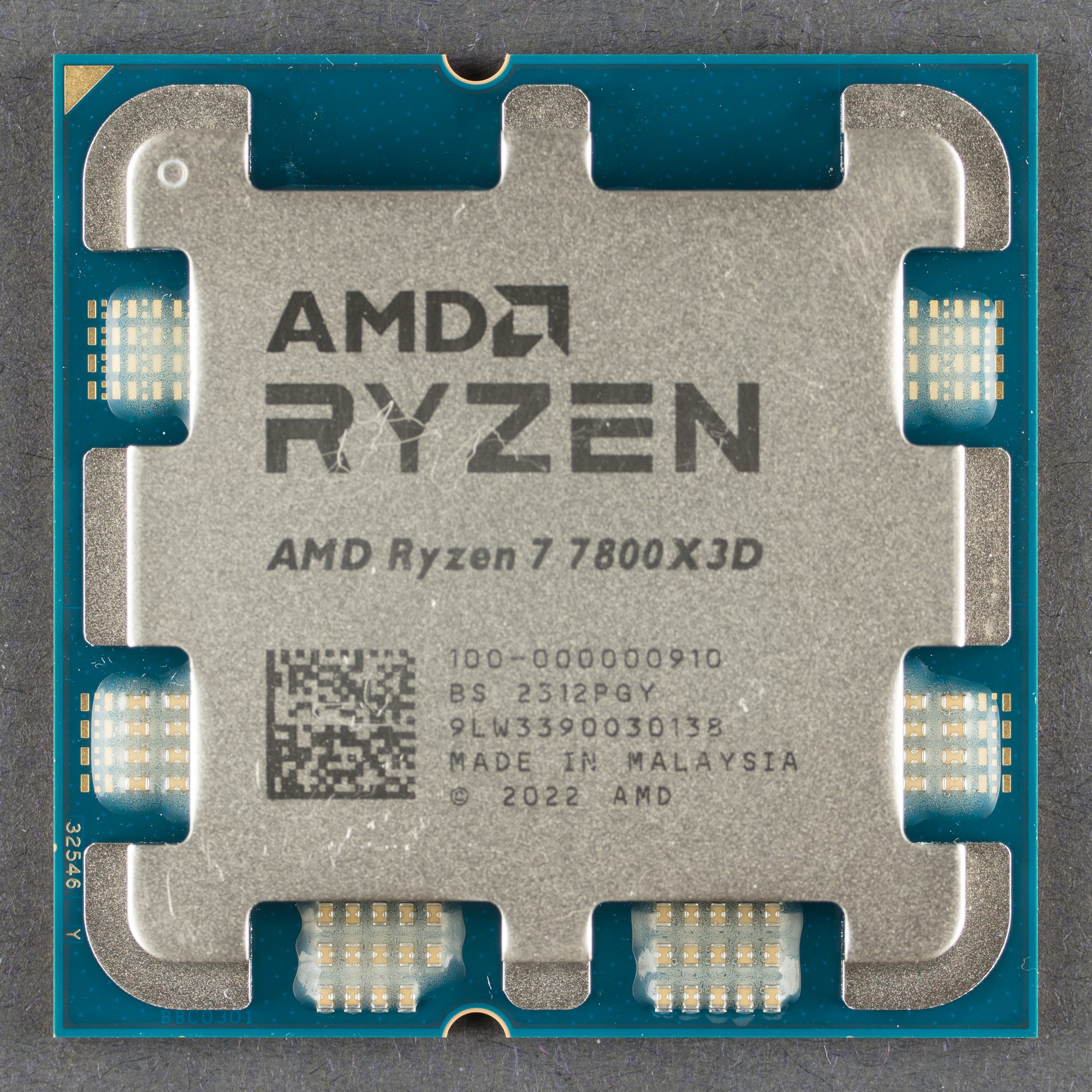
The Ryzen 7 7800X3D is still one of the best gaming processors you can buy, and AMD doesn’t put a cooler in the box. So you need to buy one, and the internet is full of people telling you it needs a big 360mm liquid cooler. Does it? This guide picks the best CPU cooler for Ryzen 7 7800X3D UK builders, from a cheap single tower to two 360mm AIOs, and explains what temperatures are normal so you don’t panic the first time you open a monitoring app.
It’s a researched guide, not a hands-on test. We’ve built it from AMD’s and the cooler makers’ own spec pages, plus published independent testing, and every pick here is also stocked in our shop.
Prices change often. Tap Check price on Amazon for today’s price.
Quick picks
- Best overall: Thermalright Peerless Assassin 120 SE. Dual tower, six heat pipes and two fans, and plenty for a 7800X3D in games. Check price on Amazon.
- Best budget: Cooler Master Hyper 212 Black. A slim single tower that clears tall RAM easily. Check price on Amazon.
- Best premium: ARCTIC Liquid Freezer III Pro 360 A-RGB. Thick 38mm radiator and a six-year warranty. Check price on Amazon.
- Best for a white build: Corsair NAUTILUS 360 RS ARGB White. Tidy 360mm AIO with daisy-chained fans. Check price on Amazon.
7800X3D coolers compared
What the 7800X3D actually needs
AMD’s spec page lists the 7800X3D as an eight-core, 16-thread AM5 chip with a default TDP of 120W and a maximum operating temperature (Tjmax) of 89°C. It also says, plainly, that no cooler is included and that a “liquid cooler [is] recommended for optimal performance”. We’ll be straight about that, because it’s AMD’s own wording.
Here’s the context, though. That 89°C limit is lower than the 95°C AMD lists for chips like the Ryzen 7 7700X, because the extra 3D V-Cache sits on top of the cores and heat has to pass through it. Ryzen chips also boost until they hit a power, current or temperature limit, so seeing the low 80s in a heavy all-core test isn’t a fault. Games are a much lighter load than rendering, and owners on forums such as r/buildapc overwhelmingly report that a good dual-tower air cooler keeps the 7800X3D comfortable in games. One owner with an AIO said they bought it “mainly for aesthetic reasons”.
So our honest take is this: a decent dual-tower air cooler is enough for most gaming builds. A 360mm AIO buys you lower fan speeds (so a quieter PC), a cleaner look and headroom if you later drop in a hotter AM5 chip. It won’t magically add frames.
Thermalright Peerless Assassin 120 SE: best overall
Thermalright lists the Peerless Assassin 120 SE as a dual-tower heatsink measuring 125 x 110 x 155mm, with six 6mm heat pipes and two TL-C12C 120mm PWM fans rated up to 1,550rpm and 25.6dBA. It supports AM5 and AM4, as well as Intel’s LGA 1700 and LGA 1851.
It’s the cooler we’d put on a 7800X3D first. Sweden’s SweClockers tested it on a Core i7-13700K bench (a far hotter chip than the 7800X3D) and found it ran only a couple of degrees warmer than much pricier coolers from Noctua and Cooler Master, and well below the Hyper 212. Tom’s Hardware summed it up as “incredible, affordable air cooling performance”. If it copes with a 13700K, an eight-core X3D chip in games is well within its comfort zone.
- Who it suits: most 7800X3D gaming PCs in a normal mid-tower case.
- Pro: strong cooling in independent tests for the money
- Pro: no pump, so very little to go wrong
- Pro: AM5 support in the box
- Con: dual tower at 110mm deep can overhang tall RAM
- Con: fans get fairly loud flat out, so set a sensible fan curve in the BIOS
Check price on Amazon or see it in our shop.
Cooler Master Hyper 212 Black: best budget
Cooler Master lists the Hyper 212 Black as a single tower at 125 x 74 x 152mm, with four direct-contact heat pipes and one SickleFlow 120 Edge fan rated at 690 to 2,500rpm and 32.8dBA. AM5 and AM4 are supported, thermal paste is in the box and there’s a two-year warranty.
It’s been the go-to cheap cooler for donkey’s years, and it’ll run a 7800X3D. But be realistic: in SweClockers’ testing it fell well behind the Peerless Assassin under heavier loads, so expect higher temperatures and more fan noise. It’s the one to pick if your budget is really tight or you’ve got tall RGB memory that a dual tower would clash with. Our Peerless Assassin vs Hyper 212 comparison goes into more detail.
- Who it suits: tight budgets, slimmer builds and anyone with tall RAM.
- Pro: slim single tower with easy RAM clearance
- Pro: paste included, tidy all-black look
- Con: noticeably weaker than a dual tower under load
- Con: higher rated fan noise at full speed
Check price on Amazon or see it in our shop.
ARCTIC Liquid Freezer III Pro 360 A-RGB: best premium
If you want to follow AMD’s liquid-cooling advice to the letter, this is the one we’d choose. ARCTIC’s spec sheet lists a 360mm radiator that’s 38mm thick (thicker than most), three P12 Pro fans, a PWM-controlled pump and a small VRM fan on the pump block that blows over the motherboard’s power delivery. It supports AM5 and AM4 plus Intel LGA 1851 and 1700, comes with ARCTIC MX-6 paste and has a six-year warranty.
The big radiator means the fans don’t have to work hard on a 120W chip, so it should be quiet. The catch is size: the radiator is 398mm long and 66mm thick with fans fitted, so check your case’s radiator support before you order.
- Who it suits: quiet-PC fans, people planning a hotter AM5 upgrade later, and big cases.
- Pro: huge cooling headroom for a 120W chip
- Pro: six-year warranty
- Pro: paste in the box
- Con: costs a lot more than a good air cooler
- Con: thick radiator needs a roomy case
- Con: a pump is one more part that can fail
Check price on Amazon or see it in our shop.
Corsair NAUTILUS 360 RS ARGB White: best for a white build
Building in white? Corsair lists the NAUTILUS 360 RS with three RS120 ARGB fans that spin up to 2,100rpm, a copper cold plate and 450mm tubing, with support for AM5, AM4 and Intel LGA 1851 and 1700. The fans daisy-chain, so you only need one fan header and one ARGB header on the motherboard, and Corsair quotes a five-year warranty.
It’s more about looks than raw need on a 7800X3D, but if you want a clean, bright build with a clear view of the motherboard, it does the job tidily.
- Who it suits: white and RGB builds where looks matter as much as temperatures.
- Pro: daisy-chained fans mean far less cable mess
- Pro: five-year warranty
- Pro: matches white cases and parts
- Con: you’re paying for looks a 7800X3D doesn’t strictly need
- Con: needs space for a 360mm radiator
Check price on Amazon or see it in our shop.
Fitting checks before you buy
- Case height: the Peerless Assassin is 155mm tall and the Hyper 212 Black is 152mm. Most mid-towers take that, but slim and small cases might not, so check your case’s maximum CPU cooler height.
- RAM clearance: dual towers can sit over the memory slots. With tall RGB RAM you may need to raise the front fan, which adds height.
- Radiator space: both AIOs need room for a 360mm radiator. If you mount it at the front, keep the tubes at the bottom so air doesn’t collect in the pump.
- AM5 mounting: all four makers list AM5 support. Follow the AM5 steps in the cooler’s own manual.
Do you need extra thermal paste?
Not for a fresh build. All four coolers come with paste, and the ARCTIC ships with MX-6. If you ever remove and refit a cooler, clean off the old paste and apply new. A tube of ARCTIC MX-6 Thermal Paste (4 g) is handy to keep in the drawer (check price on Amazon), and our guide to applying thermal paste shows how.
Planning the rest of the build?
If you haven’t bought the chip yet, the AMD Ryzen 7 7800X3D is in our shop too (check price on Amazon). It needs DDR5, so read our DDR5-6000 CL30 vs CL36 guide before you pick memory. Pairing it with a big graphics card? See what PSU you need for an RX 9070 XT. Still deciding between air and liquid? Our air cooler vs AIO explainer covers the trade-offs in full. You can browse every cooler we stock in the CPUs and cooling section of the shop.
Where to buy in the UK
Amazon is handy, but it isn’t the only shop. Specialist stores such as Overclockers UK and Scan are worth checking for PC parts, and Currys stocks plenty of PC kit too. Compare price, delivery and returns before you buy.
Verdict
For most people, the best CPU cooler for a Ryzen 7 7800X3D is the Thermalright Peerless Assassin 120 SE. It’s a proper dual-tower cooler, independent tests rate it highly, and a 120W gaming chip is well within what it can handle. If money’s very tight or your RAM is tall, the Hyper 212 Black will do the basics. Go for the ARCTIC Liquid Freezer III Pro 360 if you want the quietest running or plan a hotter AM5 chip later, or the Corsair NAUTILUS 360 RS if you’re building in white. As we’d say back in Wakefield, don’t pay for cooling you’ll never use.
Ready to choose? Check price on Amazon for the Peerless Assassin, or pick it up from our shop. See how we test and choose products.
Related guides: best budget gaming PC UK and, for smaller upgrades and stocking fillers, our best gaming gifts under £50.
FAQ
Does the Ryzen 7 7800X3D need an AIO?
No, not for gaming. AMD recommends a liquid cooler for optimal performance, but a good dual-tower air cooler such as the Peerless Assassin 120 SE keeps it comfortable in games. A 360mm AIO mainly buys quieter fans and headroom for a hotter future chip.
What temperature should a 7800X3D run at?
AMD lists a maximum operating temperature of 89°C. Ryzen chips boost until they reach a power or temperature limit, so the 80s in a heavy all-core test can be normal. Games are a lighter load and usually run cooler.
Is the Peerless Assassin 120 SE enough for a 7800X3D?
Yes for gaming builds. It’s a dual-tower cooler with six heat pipes and two fans, and independent testing shows it coping well with much hotter chips. Check your case height (155mm) and RAM clearance first.
Does the 7800X3D come with a cooler?
No. AMD’s spec page says the thermal solution is not included, so you need to buy one.
Do I need to buy thermal paste for my 7800X3D cooler?
Not for a new build. All four coolers in this guide include paste. Keep a tube of something like ARCTIC MX-6 if you plan to remove and refit the cooler later.
Featured image: AMD Ryzen 7 7800X3D, photo by Fritzchens Fritz via Wikimedia Commons, CC0.
Enjoyed this? Follow along for more guides and deals. More guidesXInstagramFacebookWhatsAppTelegram