As an Amazon Associate, TrueNorth Tech X earns from qualifying purchases. Read our affiliate disclosure.
Shopping for DDR5 and stuck between two kits that look almost identical? Both say 6000, both are 32GB, but one says CL30 and costs more. So, DDR5-6000 CL30 vs CL36: is the lower number worth the extra money? Here’s what those numbers actually mean, how much they matter in games, and one compatibility catch that’s easy to miss.
Quick answer
- CL30 is genuinely faster, by about 2 nanoseconds of latency at the same 6000 speed.
- In games the difference is small, and smaller still on X3D chips like the Ryzen 7 7800X3D.
- Buy CL30 only if the price gap is small. With RAM this expensive, the money is usually better spent elsewhere.
- On AMD, check for EXPO. Our shop’s Corsair CL30 kit is the Intel XMP version.
Prices change often. Tap Check price on Amazon for today’s price.
| Product | Key spec | UK price at time of writing | Best for | Link |
|---|---|---|---|---|
| Corsair Vengeance DDR5 32GB (2x16GB) 6000 CL30 | CL30-36-36-76, 1.40V, Intel XMP | Check price | Intel builds wanting the lowest latency | View in our shop |
| Crucial Pro DDR5 32GB (2x16GB) 6000 CL36 | CL36-38-38-80, 1.35V, Intel XMP and AMD EXPO | Check price | Value builds on AMD or Intel | View in our shop |
What CL actually means
CL stands for CAS latency: the number of clock cycles the memory takes to respond to a request. Lower is quicker, but only if the speed is the same, because each cycle takes less time on faster memory. To compare kits properly, work out the true latency in nanoseconds:
True latency (ns) = CL x 2,000 / speed in MT/s
- DDR5-6000 CL30: 30 x 2,000 / 6,000 = 10ns
- DDR5-6000 CL36: 36 x 2,000 / 6,000 = 12ns
So CL30 responds about 17% faster. Crucial uses the same sum on its own Crucial Pro DDR5 page, where it works out 12ns for DDR5-6400 CL40. The other timings matter a bit too, and the CL30 kit is tighter across the board: Corsair lists 30-36-36-76, while Crucial lists 36-38-38-80.
How much does it matter in games?
Less than the spec sheet suggests. We couldn’t find an independent test that isolates DDR5-6000 CL30 against CL36 and that we were happy to quote, so we’re not putting a frame-rate figure on it. What we can point to is a bigger jump.
TechSpot tested 13 games at 1080p on an RTX 4090, comparing base-spec memory with DDR5-6000 CL30. The Ryzen 7 7800X3D was only 4% faster on average with the quicker memory. The Ryzen 7 7700X, which lacks the big 3D V-Cache, gained 12%. Going from CL36 to CL30 at the same speed is a smaller change than that, so our reading is that the real-world gap will usually be small, especially on X3D chips and at 1440p or 4K, where your graphics card does most of the limiting.
It matters most when you’re CPU-limited: high-refresh 1080p gaming, competitive shooters and non-X3D Ryzen chips. TechSpot also found that some games, like Hogwarts Legacy and Spider-Man Remastered, are much more memory-sensitive than others.
The AMD catch: XMP or EXPO?
This one’s easy to miss. The Corsair kit in our table, model CMK32GX5M2B6000C30, is the Intel version. Corsair’s product page lists Intel XMP as its only performance profile and Intel 600, 700 and 800 series boards for compatibility. If you’re building on AM5, Corsair sells a separate CMK32GX5M2B6000Z30 with the same CL30 timings, which supports both AMD EXPO and Intel XMP.
The Crucial Pro kit supports both XMP 3.0 and EXPO on the same sticks, at 36-38-38-80 and 1.35V, as Tom’s Hardware lists. Crucial’s own page says it’s compatible with Intel 13th and 14th Gen and Ryzen 9000, and advises checking with your motherboard maker for Ryzen 7000 and 8000.
When CL30 is worth it, and when it isn’t
Pay for CL30 if
- The price gap is only a few pounds
- You play CPU-heavy games at high frame rates
- You’re using a non-X3D chip that’s more sensitive to memory
Save with CL36 if
- The gap is big enough to buy a better graphics card or a bigger SSD
- You play at 1440p or 4K
- You have an X3D chip like the Ryzen 7 7800X3D
Memory prices have shot up this year, as we covered in our memory and SSD prices report, so compare the actual gap on the day before you decide.
How to turn on EXPO or XMP
Out of the box, both kits run at a slower default speed. To get the rated 6000 speed and timings:
- Update your motherboard’s BIOS first, as TechSpot recommends, for the latest memory compatibility fixes.
- Restart and enter the BIOS, usually with Delete or F2.
- Find the memory setting, usually called EXPO or XMP, and select profile 1.
- Save, restart and check the speed in Task Manager or a tool like CPU-Z.
Our picks
Corsair Vengeance DDR5 32GB 6000 CL30
The lower-latency kit, at 1.40V. A great match for an Intel build. On AM5, look for the EXPO version instead.
Crucial Pro DDR5 32GB 6000 CL36
The sensible pick for most gamers. It supports both EXPO and XMP, and runs at a lower 1.35V.
Both are in the memory section of our shop, and our RAM and storage upgrades guide covers how much memory you need.
Verdict
CL30 is faster on paper, but at DDR5-6000 the gaming gain is small, and smaller still on a Ryzen 7 7800X3D. Pay for CL30 only when the price gap is tiny. Otherwise, a good CL36 kit like the Crucial Pro is the smarter buy. Whatever you choose, make sure it has the right profile for your platform: EXPO for AMD, XMP for Intel. We haven’t tested these kits ourselves; this comparison uses the makers’ specs and published testing. See how we test and choose products.
FAQ
Is DDR5-6000 CL30 faster than CL36?
Yes. At the same 6000 speed, CL30 has a true latency of 10ns against 12ns for CL36. In games the difference is usually small, especially at higher resolutions.
Is CL30 worth it for the Ryzen 7 7800X3D?
Usually not if it costs much more. TechSpot found the 7800X3D gained only 4% on average going from base-spec memory to DDR5-6000 CL30, because its large 3D V-Cache makes it less sensitive to memory.
Does the Corsair Vengeance CL30 kit work with AMD?
The CMK32GX5M2B6000C30 kit is listed by Corsair with an Intel XMP profile only. For AM5, Corsair sells the CMK32GX5M2B6000Z30, which supports AMD EXPO and Intel XMP.
Should I get 32GB or 64GB of DDR5?
32GB is plenty for most gaming PCs. 64GB mainly makes sense for heavy video editing, large creative projects or running local AI models.
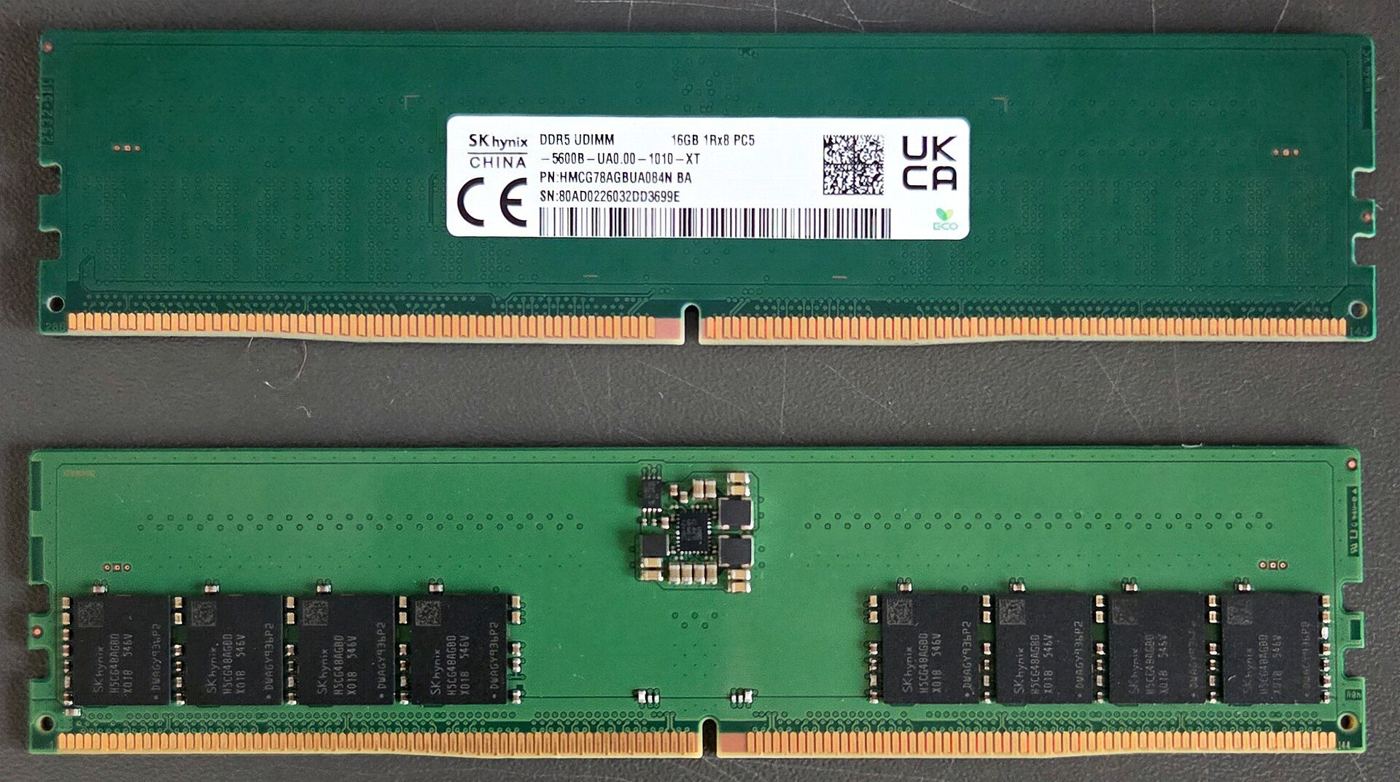
Featured image: DDR5 desktop memory module, photo by ITEagle Europe (Sebastiaan Broekhoven) via Wikimedia Commons, CC BY-SA 4.0.