As an Amazon Associate, TrueNorth Tech X earns from qualifying purchases. Read our affiliate disclosure.
Grand Theft Auto VI lands on PS5 on 19 November 2026, Rockstar has confirmed, and plenty of us will be in for long sessions. If you’ve been reading about PS5 overheating and GTA 6, here’s the honest picture. The game isn’t out yet, so there are no real reports of it overheating anything. What there has been lately is a steady stream of PS5 overheating complaints, mostly from consoles that are five or six years old and have never had a clean. So treat this as sensible prep, not a panic.
Quick checklist
- Unplug and clean the vents with a low-powered vacuum, as Sony recommends.
- Give it room: at least 10cm of free space on every side.
- No closed cabinets, no long-pile rugs and no cramped shelves.
- Test it now with a long session in a demanding game and watch for warnings.
- Older launch model? Know the signs of the liquid-metal issue, and don’t open it yourself.
- Free up space ahead of pre-loading, which starts on 12 November for digital pre-orders.
Prices change often. Tap Check price on Amazon for today’s price.
Step 1: Clean the dust out of the vents
Dust is the usual culprit when a console starts running hot and loud. Sony’s UK support page says to disconnect the power cable from the back first, then use a low-powered vacuum cleaner to remove dust in and around the air vents. The PS5 instruction manual goes a step further: it recommends taking the covers off and vacuuming the dust trapped underneath. On the original PS5 that’s where the dust-catcher holes are.
Go gently. GamingBible’s guide warns against powerful vacuums, aggressive compressed air, liquids or wet wipes, and against taking the fan or heatsink apart. A cordless electric duster on its lowest setting can help shift dust from the outside of the vents, but Sony’s own advice is the low-powered vacuum, so use a duster lightly and never blast air deep into the console.
Step 2: Give it room to breathe
Sony is clear on this. Leave at least 10cm of free space around each side of the console, and don’t stand it on a carpet or rug with long fibres or squeeze it into a narrow space. The PS5 safety guide also says not to use it in a closed cabinet, and GamingBible adds that it should be kept away from sunlight and heat sources.
That TV unit with a glass door? Leave the door open while you play, or better still, move the console to an open shelf. If you want it upright, Sony sells its official vertical stand separately, and it fits original, slim and Pro models.
What about cooling stands with fans?
We’re not recommending one. Sony’s guidance focuses on clearance and clean vents and doesn’t say a clip-on fan is needed, and GamingBible says clip-on fans didn’t help in its experience. Spend the money on a clean and a better spot instead.
Step 3: Check older launch models for the liquid-metal issue
The PS5 uses liquid metal between the main chip and the heatsink instead of ordinary thermal paste. Since 2023, repair shops have reported that on some older consoles it can move or degrade, leaving dry spots that cause overheating and sudden shutdowns. PlayStation LifeStyle reported that the problem seemed most common on launch consoles and those stood upright, and that Sony added grooves to hold the liquid metal in place on the PS5 Pro.
More recently, Notebookcheck reported a Polish repair technician saying he sees it in consoles kept flat too, though he gave no figures for how often. Notebookcheck also points out that plenty of PS5s have run for years without it happening.
So don’t assume your console has it. But if an older PS5 keeps shutting down or shows the high-temperature warning even after a clean and a better spot, that’s when to get it looked at. Don’t open it up beyond the covers yourself, because liquid metal conducts electricity. Contact PlayStation Support or a reputable repairer.
Step 4: Stress-test your PS5 now
After cleaning, play your most demanding game for a couple of hours, the kind of session you’re planning for GTA 6. Update the system software first. Then watch for:
- The on-screen high-temperature warning. Sony’s safety guide says to turn the console off, let it cool and move it somewhere better ventilated.
- Sudden shutdowns, especially if they keep happening after the console has cooled down.
- A fan that’s much louder than it used to be in games that never troubled it. A loud fan on its own is normal in demanding games.
If you’ve fitted an M.2 SSD, the safety guide also says to check its heat-dissipation parts haven’t come loose.
Step 5: Make room for the install
Rockstar hasn’t published an official install size yet. PC Gamer reports a figure of around 210GB on PS5, based on PlayStation Store data, so treat it as a guide rather than gospel. According to Take-Two, digital pre-orders can start pre-loading on 12 November. You’ll need the space before then.
Check what’s free under Settings, then Storage, and clear out finished games, or park them on a USB drive as our console storage guide explains. If that’s not enough, an M.2 SSD is the proper fix. Sony’s M.2 requirements ask for a PCIe Gen4 drive with cooling, such as a heatsink. Our guide to fitting an M.2 SSD in a PS5 walks you through it, and our PCIe 5 vs PCIe 4 SSD guide explains why a Gen5 drive is wasted on a PS5. The Samsung 990 PRO 1TB with Heatsink in our shop comes with the heatsink already fitted, or you can add the Sabrent PS5 heatsink to a bare drive.
Verdict
There’s nothing to suggest GTA 6 will cook your PS5. But a demanding new game and long sessions are a good excuse for some overdue maintenance. Unplug it, vacuum the vents, give it 10cm of space, keep it out of closed cabinets and give it a proper test run this week. If an older launch console still overheats after all that, get it checked professionally rather than opening it yourself. We haven’t tested these accessories hands-on; this advice comes from Sony’s guidance and the reports linked above. See how we test and choose products.
FAQ
Will GTA 6 make my PS5 overheat?
There are no verified reports, because the game isn’t out until 19 November 2026. Demanding games do make the fan work harder, so cleaning the vents and giving the console space is sensible prep.
How much space does a PS5 need around it?
Sony recommends at least 10cm of free space around each side of the console, and says not to use it in a closed cabinet.
How do I clean dust out of my PS5?
Unplug the power cable, then use a low-powered vacuum cleaner around the vents. Sony’s manual also recommends removing the covers and vacuuming the dust trapped underneath.
Is the PS5 liquid-metal problem real?
Repair technicians have reported overheating linked to liquid metal on some older consoles, especially launch models, but not every PS5 is affected. If yours keeps overheating after cleaning, contact PlayStation Support or a reputable repairer rather than opening it.
How big is GTA 6 on PS5?
Rockstar hasn’t confirmed it. PC Gamer reports a figure of around 210GB based on PlayStation Store data.
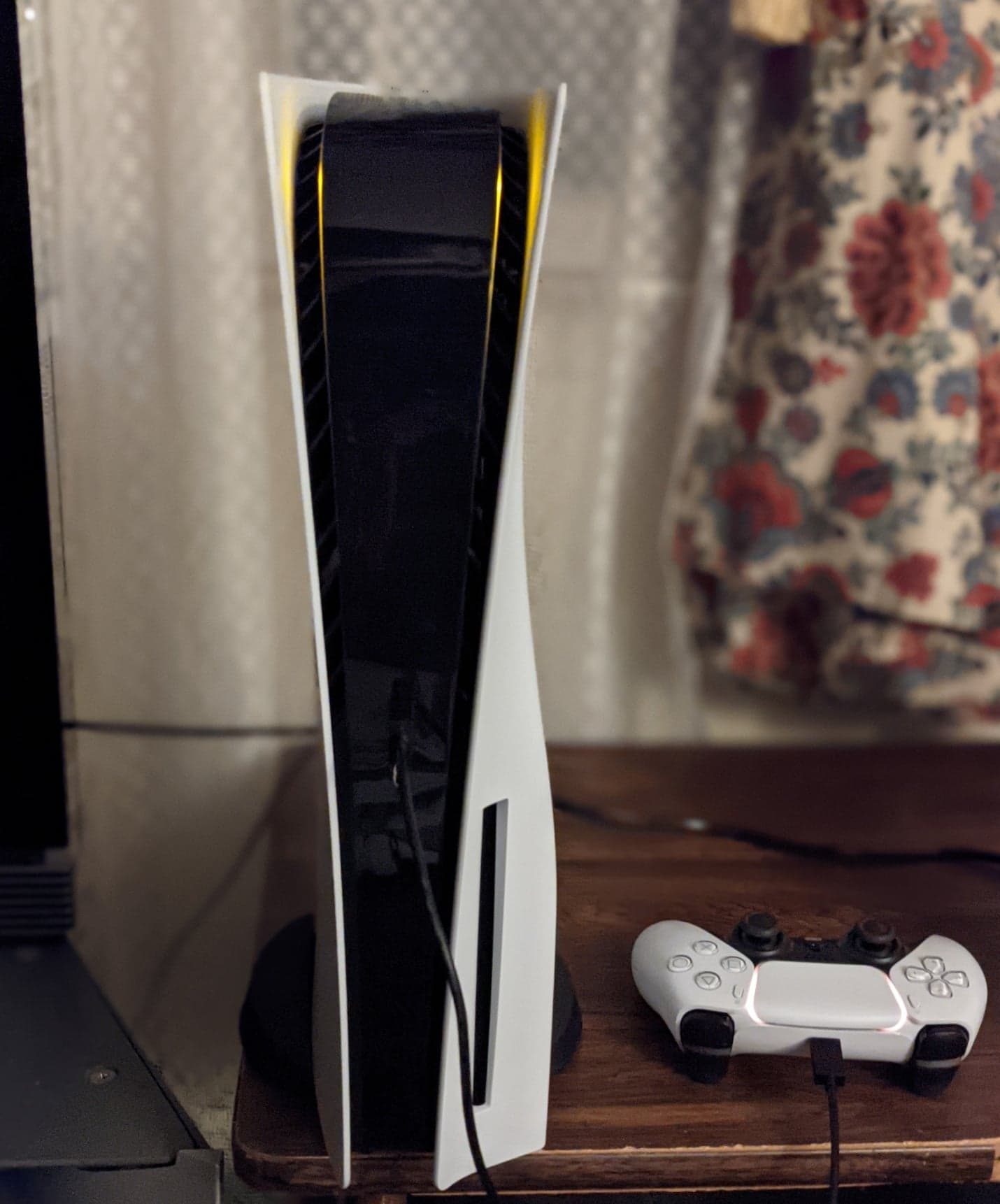
Featured image: PlayStation 5 and DualSense, photo by Osh33m via Wikimedia Commons, CC BY-SA 4.0.