As an Amazon Associate, TrueNorth Tech X earns from qualifying purchases. Read our affiliate disclosure.
Looking for the best microSD card for ROG Xbox Ally UK buyers can get without overpaying? Windows 11 and modern games eat storage fast. The standard ROG Xbox Ally comes with a 512GB SSD and the Ally X with 1TB, and a single big game can take well over 100GB. A good microSD card is the quickest, cheapest way to add room for your backlog. This is a researched guide built on ASUS’s own spec sheets, the card makers’ listings and what owners report. We haven’t tested these cards ourselves.
The short version: you don’t need a fancy “gaming” card. A well-made A2, V30 card from a big brand in the right size does the job, and the money is better spent on capacity than on branding.
Quick picks
- Best overall: SanDisk Extreme 512GB. Up to 190MB/s reads, A2 rated, and a sensible size for most libraries. Check price on Amazon
- Best budget: SanDisk Extreme PRO 256GB. Fast (up to 200MB/s reads, 140MB/s writes) for less outlay, if you mainly play smaller games. Check price on Amazon
- Best premium: SanDisk Extreme 1TB. The same proven card with double the space for big Game Pass libraries. Check price on Amazon
- Best for Sonic fans: Samsung Sonic PRO Plus 512GB. Up to 180MB/s reads with Sonic artwork and Samsung’s 10-year limited warranty. Check price on Amazon

Best microSD cards for the ROG Xbox Ally compared
| Product | Key spec | UK price at time of writing | Best for | Link |
|---|---|---|---|---|
| SanDisk Extreme 512GB | Up to 190MB/s read, 130MB/s write, A2, V30 | £109.00 (checked 3 Nov 2026) | Most Ally owners | View in our shop |
| SanDisk Extreme PRO 256GB | Up to 200MB/s read, 140MB/s write, A2, V30 | Check price | Smaller budgets, indie and older games | View in our shop |
| SanDisk Extreme 1TB | Up to 190MB/s read, 130MB/s write, A2, V30 | £265.00 from a third-party seller (checked 3 Nov 2026) | Big libraries | Check price on Amazon |
| Samsung Sonic PRO Plus 512GB | Up to 180MB/s read, 130MB/s write, A2, V30 | £107.24 via Amazon’s EU store (checked 3 Nov 2026) | Sonic fans, Samsung loyalists | View in our shop |
Prices checked on 3 November 2026 on Amazon UK where shown in the table. Prices change often, so tap Check price on Amazon for today’s price.
What the ROG Xbox Ally card slot supports
This is where a lot of guides get muddled, so we went to ASUS. Its official Ally X spec sheet lists a UHS-II microSD card reader that supports SD, SDHC and SDXC cards, and its own SD card guide says the ROG Xbox Ally and Ally X both have a UHS-II slot that also reads ordinary UHS-I cards. Microsoft’s store listing for the Ally X adds that the reader supports “UHS-I with DDR200 mode”, which is the trick fast UHS-I cards use to go beyond the standard 104MB/s.
In practice, real speeds can be lower than the box. On ASUS’s community forum, one Ally X owner said several 1TB and 2TB cards from SanDisk, Samsung and AGI topped out at around 97MB/s in the built-in reader, but reached about 150 to 170MB/s in an external USB reader. That’s one owner’s report, and firmware updates can change things, but it’s a good reason not to pay extra for headline speed alone.
Speed ratings in plain English
- A2: the app-performance class. SanDisk rates its A2 cards at 4,000 read and 2,000 write IOPS, which helps with the small random reads games do.
- U3 and V30: a minimum sustained write speed of 30MB/s, a handy sign of a decent card.
- UHS-I vs UHS-II: UHS-II cards have a second row of pins and can be faster in a UHS-II slot. UHS-II microSD cards are far less common, and we couldn’t find one we’d confidently recommend at a sensible UK price, so all four picks here are UHS-I.
1. SanDisk Extreme 512GB: best overall
The SanDisk Extreme is the card most handheld owners end up with, and for good reason. Amazon UK’s listing for the 512GB model (SDSQXAV-512G-GN6MA) gives read speeds of up to 190MB/s, writes of up to 130MB/s, A2 app performance and U3 and V30 ratings. You get an SD adapter in the box and a two-year offer for SanDisk’s RescuePRO Deluxe recovery software. SanDisk notes the 190MB/s figure uses its own technology to go past the UHS-I 104MB/s limit and needs a compatible device, so expect less in some readers.
Owner feedback is the big reassurance. The listing had more than 102,000 ratings averaging 4.7 out of 5 when we checked, with reviewers using it in a Nintendo Switch, action cameras and dashcams. A small number of buyers report dud or fake cards, which is why it’s worth buying from Amazon itself rather than an unknown seller.
Who it suits: most ROG Xbox Ally owners. 512GB roughly doubles the space on a standard Ally, which is enough for a healthy mix of big and small games. See it in our shop.
Pros
- Up to 190MB/s reads and 130MB/s writes
- A2, U3 and V30 rated
- Huge number of owner ratings
- SD adapter included
Cons
- Headline speed needs a compatible reader
- Fakes exist from third-party sellers
- Not the cheapest 512GB card around
2. SanDisk Extreme PRO 256GB: best budget pick
If you mostly play indie games, retro collections or older titles, you don’t need a huge card. SanDisk’s UK product page lists the Extreme PRO at up to 200MB/s reads and up to 140MB/s writes for 256GB to 1TB capacities, with A2, U3 and V30 ratings. It comes with an SD adapter.
The catch is capacity. Windows Central points out that some current releases, like Forza Horizon 6 on PC, are over 120GB, so a 256GB card won’t hold many of those. As a home for smaller games it makes a lot of sense, and ASUS itself says a UHS-I card is plenty if you’re only using the card for indie and retro games.
Who it suits: anyone on a tighter budget, or players who keep big AAA games on the internal SSD and use the card for everything else. See it in our shop.
Pros
- Fastest rated card here at up to 200MB/s reads
- Up to 140MB/s writes, so games install faster
- A2, U3 and V30 rated
- SD adapter included
Cons
- 256GB fills up fast with modern AAA games
- Costs more per gigabyte than larger cards
- Real speed still limited by the Ally’s reader
3. SanDisk Extreme 1TB: best premium pick
The 1TB Extreme (SDSQXAV-1T00-GN6MA) has the same spec as our top pick: up to 190MB/s reads, up to 130MB/s writes, A2, U3 and V30. It just doubles the space, which turns a standard 512GB Ally into a 1.5TB machine and gives an Ally X 2TB to play with.
One honest warning on price. When we checked on 3 November 2026, Amazon UK’s main listing was being sold by a third-party seller at £265.00, which looks high. Check who the seller is and compare before you buy. And don’t be tempted by the official “Designed for Xbox” SanDisk card: Windows Central found it’s essentially the same as SanDisk’s ordinary A2, V30 cards, yet it cost over $50 more than the unbranded version in the UK.
Who it suits: Game Pass players who like to keep lots of big games installed at once.
Pros
- 1TB of space for a large library
- Same proven A2, V30 spec as the 512GB
- SD adapter and RescuePRO Deluxe offer included
Cons
- Price can swing a lot, so check the seller
- Big open-world games can still stutter from microSD
- Not yet stocked in our shop
4. Samsung Sonic PRO Plus 512GB: best for Sonic fans
Samsung’s PRO Plus range is the main alternative to SanDisk, and this Sonic edition is aimed squarely at handheld gamers. Samsung UK lists the 512GB card (MB-MD512SA) at up to 180MB/s reads and 130MB/s writes, with U3, V30 and A2 ratings, a UHS-I interface and a limited 10-year warranty. It’s officially licensed Sonic the Hedgehog artwork, which one UK owner says makes it easy to spot in a drawer.
Read the Amazon listing carefully, though. When we checked, this listing was sold through Amazon’s EU global store, which warns that EU products may differ from UK ones and that the manufacturer warranty won’t apply. It also lists the card on its own, without an SD adapter. Owners rate it 4.7 out of 5 across more than 550 ratings, with a few mentioning compatibility niggles in specific devices.
Who it suits: Sonic fans and anyone who prefers Samsung storage. See it in our shop.
Pros
- Up to 180MB/s reads and 130MB/s writes
- A2, U3 and V30 rated
- 10-year limited warranty from Samsung
- Fun Sonic design
Cons
- Amazon UK listing ships from the EU store, where the manufacturer warranty may not apply
- No SD adapter with this listing
- Slightly slower rated reads than the SanDisk cards
How much microSD storage does the ROG Xbox Ally need?
- 128GB: only for retro and small indie games. The SanDisk Extreme 128GB is a cheap way in, but it fills up quickly.
- 256GB: fine as overflow for smaller games.
- 512GB: the sweet spot for most people.
- 1TB: for big Game Pass libraries, if the price is right.
It’s worth being realistic about speed. Windows Central’s hands-on with an Xbox Ally found that big open-world games like Forza Horizon 5 suffered rubberbanding and freezes when run from microSD, while slower-paced games such as Lies of P ran well. Keep your most demanding game on the internal SSD and put the rest on the card.
Should you upgrade the internal SSD instead?
Both handhelds use a full-size M.2 2280 SSD that ASUS says is upgradeable, so a bigger NVMe drive is the faster option for huge open-world games. It’s more work, because you’re opening the handheld and moving Windows across. Our guide to cloning your SSD to a new drive explains how cloning works, and you’ll find NVMe drives in our storage category. For most people, a microSD card is the easy first step.
How to set up a microSD card on the ROG Xbox Ally
ASUS’s guide says that when you insert a card, a pop-up appears; choose Configure Storage Settings. If you miss it, go to Windows Settings, then System, Storage, Advanced storage settings and Disks & volumes. Find the SD card, choose Properties, then Format, and pick NTFS. Formatting wipes the card, so copy anything important first. After that, ASUS says most launchers, including the Xbox app, Steam, Epic and Battle.net, let you choose the card as an install location. If you’ve done the same thing on a Steam Deck, our Steam Deck microSD guide will feel familiar.
Verdict: which microSD card should you buy for the ROG Xbox Ally?
For most owners, the SanDisk Extreme 512GB is the best microSD card for ROG Xbox Ally UK buyers. It’s proven, well rated by owners, fast enough to get close to what the Ally’s reader actually delivers, and the right size for most libraries. If you’re on a tighter budget or play mainly smaller games, the SanDisk Extreme PRO 256GB is quicker and cheaper to get into. Go for the 1TB Extreme only when the price is sensible, and pick the Samsung Sonic PRO Plus if you love the design and are happy with how it’s sold. As we’d say in Wakefield: spend your brass on space, not stickers. See how we test and choose products.
Still kitting out your handheld? Our best RAM and storage upgrades for gaming PCs and Xbox round-up and best portable SSD UK guide cover faster options, the FSR 4.1 explainer covers what’s coming to the Ally, and our best gaming gifts under £50 UK guide has more ideas. You can also browse every card and drive in our storage shop.
FAQ
Does the ROG Xbox Ally support UHS-II microSD cards?
Yes. ASUS says both the ROG Xbox Ally and ROG Xbox Ally X have a UHS-II microSD card reader that also reads standard UHS-I cards. Microsoft’s listing for the Ally X adds support for UHS-I cards running in DDR200 mode.
What size microSD card is best for the ROG Xbox Ally?
For most people, 512GB is the sweet spot. 256GB suits smaller games, and 1TB makes sense for big Game Pass libraries, as some modern games are over 100GB each.
Can you install Xbox Game Pass games on an SD card on the ROG Xbox Ally?
Yes. Format the card as NTFS in Windows storage settings, then choose it as the install location in the Xbox app. ASUS says Steam, Epic and Battle.net also support installing to the card.
Is the SanDisk microSD card designed for Xbox Ally worth it?
Not in the UK, according to Windows Central. It found the branded card performs like SanDisk’s ordinary A2, V30 cards but cost over $50 more than the unbranded version in the UK.
Is a microSD card fast enough for big games on the ROG Xbox Ally?
For most games, yes, but large open-world games can stutter. Windows Central saw rubberbanding in Forza Horizon 5 from microSD, so keep your most demanding game on the internal SSD.
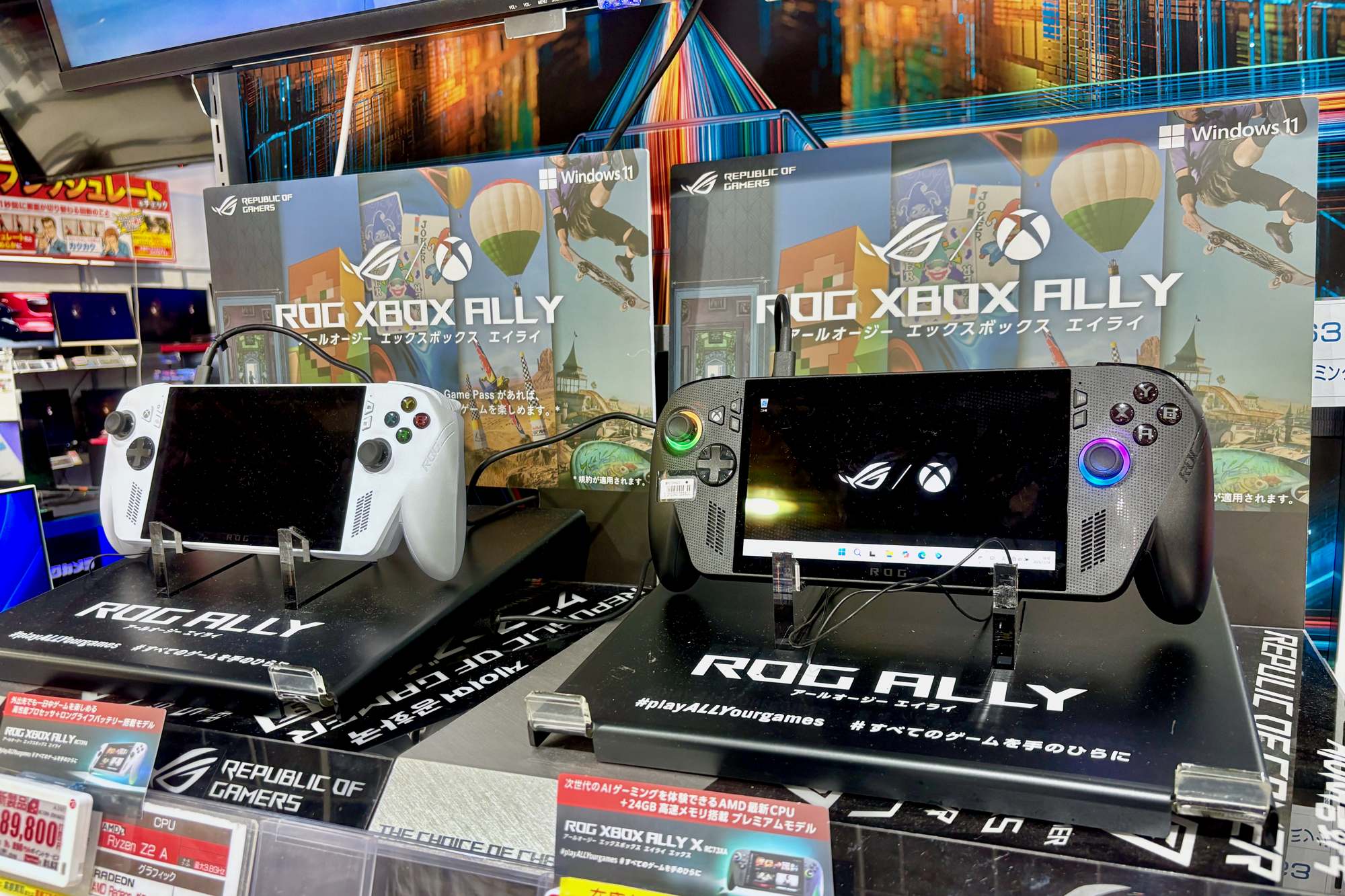
Featured image: ROG Xbox Ally and ROG Xbox Ally X, photo by Kyu3a via Wikimedia Commons, CC BY-SA 4.0.