As an Amazon Associate, TrueNorth Tech X earns from qualifying purchases. Read our affiliate disclosure.
Shopping for a new NVMe drive and wondering about PCIe 5 vs PCIe 4 SSD for gaming? Gen5 drives post eye-watering numbers on the box, roughly double what a good Gen4 drive manages. The awkward truth is that games barely notice. Here’s what the tests actually show, when Gen5 makes sense, and which drives we’d point you to instead.
Quick answer
- For most gamers, a good PCIe 4.0 drive is the smart buy. In published load-time tests the gap between Gen4 and Gen5 is well under a second.
- Gen5 makes sense if your board has a Gen5 M.2 slot, you move huge files for video or creative work, or you simply want the fastest drive going.
- On PS5, Gen5 is pointless. Sony’s spec is PCIe Gen4, so pay for capacity and a heatsink instead.
- Capacity matters more than speed. 2TB of Gen4 beats 1TB of Gen5 for a games library.
Prices change often. Tap Check price on Amazon for today’s price.
| Product | Key spec | UK price at time of writing | Best for | Link |
|---|---|---|---|---|
| Samsung 9100 PRO 2TB | PCIe 5.0, up to 14,700 MB/s read | Check price | A spare Gen5 slot | View in our shop |
| WD_BLACK SN850X 1TB | PCIe 4.0, up to 7,300 MB/s read | Check price | An all-round Gen4 drive | View in our shop |
| Samsung 990 PRO 1TB with Heatsink | PCIe 4.0, up to 7,450 MB/s read, heatsink fitted | Check price | PS5 | View in our shop |
| Crucial P310 2TB | PCIe 4.0, up to 7,100 MB/s read, 2TB | Check price | Big game libraries | View in our shop |
| Samsung 990 EVO Plus 1TB | PCIe 4.0 x4 or 5.0 x2, up to 7,150 MB/s read | Check price | The in-between option | View in our shop |
What’s actually different between PCIe 4.0 and PCIe 5.0?
PCIe 5.0 doubles the bandwidth per lane compared with PCIe 4.0, and an M.2 SSD uses four lanes. That’s why the headline figures jump. Samsung rates its PCIe 5.0 9100 PRO 2TB at up to 14,700 MB/s sequential read, and says the range is “two times faster than 990 PRO”. A strong Gen4 drive such as the WD_BLACK SN850X 1TB is rated at 7,300 MB/s.
Those numbers are best-case figures for big, continuous transfers. Games don’t load like that. They pull lots of smaller files, decompress them and build the scene, and the CPU and GPU do a fair bit of that work. So the bit of the drive that’s twice as fast often isn’t the bit that’s holding you up.
Do PCIe 5 SSDs load games faster? What the tests show
The best test case is a game built for fast storage. Forspoken was the first PC game to use Microsoft’s DirectStorage, and the Compusemble channel timed its built-in benchmark on three drives, as reported by Tom’s Hardware and Notebookcheck. Across all seven scenes, the totals were:
- PCIe 5.0 (Phison E26 reference drive): 10.483 seconds
- PCIe 4.0 (Samsung 990 Pro): 10.872 seconds
- PCIe 3.0 (ADATA XPG SX8200 Pro): 13.838 seconds
That’s under 0.4 seconds between Gen5 and Gen4, across seven loads. One fair caveat from HotHardware: the Gen5 drive was an early reference unit with slower flash than retail drives use, so that test was from 2023 and flatters Gen4 a bit.
A newer test with a retail Gen5 drive tells a similar story. Japan’s ASCII.jp ran the Final Fantasy XIV: Dawntrail benchmark on a Samsung 9100 PRO 4TB and a 990 PRO 4TB, adding up the loading time across five scenes. The Gen5 drive won, but by about 0.6 seconds in total.
So yes, Gen5 is faster. But the difference you’d feel sitting on the sofa is fractions of a second, not a new experience.
When is a PCIe 5.0 SSD worth it?
- You’ve a Gen5 slot going spare. A Gen5 drive in a Gen4 slot runs at Gen4 speeds. Samsung’s datasheet says the 9100 PRO is backward compatible with PCIe 4.0 and 3.0, so it works, but you’ve paid for speed you can’t use. Check your motherboard manual for an M.2 slot labelled PCIe 5.0 or Gen5.
- You shift big files. Video editors, people copying huge projects, and anyone working with large asset folders will see the sequential speed.
- You’re building to last. If the price gap at your capacity is small, Gen5 is a reasonable way to future-proof. Just don’t expect it to change your games today.
- Price is the deciding factor. SSD and memory prices have been climbing this year, so compare the price per terabyte before paying a Gen5 premium.
Heat and power: the hidden cost of Gen5
More speed means more heat. Samsung’s own datasheets list average active read power of 8.1W for the 9100 PRO 2TB, against 4.3W for the Gen4 990 EVO Plus 1TB. That’s why Gen5 drives want a decent heatsink, whether it’s the one on your motherboard or one built onto the drive. In a small case with weak airflow, a Gen4 drive is the easier, cooler choice.
PCIe 5 SSD on PS5: don’t bother
Sony’s official PS5 M.2 requirements call for a PCIe Gen4 x4 NVMe drive, recommend 5,500 MB/s or faster, and require a heatsink or other cooling. The total size has to stay within 11.25mm thick, with no more than 8mm above the board. A Gen5 drive would be limited to Gen4 speeds there, so on a PS5 your money is better spent on capacity and a drive with a heatsink that fits. Our guide to fitting an M.2 SSD in a PS5 walks you through it step by step.
Our picks: Gen5 and Gen4 SSDs for gaming
These are all in the storage section of our shop. We haven’t tested them hands-on. The specs below come from the makers’ own pages.
Best Gen5 if you’ve the slot for it: Samsung 9100 PRO 2TB
PCIe 5.0 x4, up to 14,700 MB/s read and 13,400 MB/s write on the 2TB model, with a five-year warranty. It’s the one to get if you want the fastest drive and your board has a Gen5 slot. See it in our shop.
Best all-round Gen4: WD_BLACK SN850X 1TB
A gaming favourite rated at up to 7,300 MB/s read. WD says only the heatsink version is PS5-compatible, so buy that one for a console. The listing below is the standard version, which suits a PC with a motherboard heatsink. See it in our shop.
Best for PS5: Samsung 990 PRO 1TB with Heatsink
A Gen4 drive with the heatsink already fitted, rated at up to 7,450 MB/s read. Samsung lists it as PS5-compatible, so there’s no fiddling with a separate cooler. See it in our shop.
Best for big libraries: Crucial P310 2TB
PCIe 4.0, up to 7,100 MB/s read and 2TB of room, which matters more than raw speed once a few 100GB games move in. It uses QLC flash according to the TechPowerUp SSD database, so long sustained writes are slower than on the drives above. That’s fine for a games drive. See it in our shop.
The in-between option: Samsung 990 EVO Plus 1TB
An interesting hybrid. Samsung rates it for PCIe 4.0 x4 or PCIe 5.0 x2, at up to 7,150 MB/s read on the 1TB model. In practice that’s Gen4-class speed, and it runs cooler than a full Gen5 drive. See it in our shop.
Want more room for a console or laptop instead? Have a look at our best portable SSD guide, or our wider RAM and storage upgrades round-up.
Verdict
Gen5 SSDs are brilliant bits of engineering, but for gaming in 2026 they’re a luxury rather than an upgrade you’ll feel. In the tests we found, the gap to a good Gen4 drive was under a second across several loads. If your budget is fixed, put it into a bigger Gen4 drive. If you’ve a Gen5 slot, the price gap is small and you do creative work too, go for it with a clear conscience.
FAQ
Is a PCIe 5 SSD worth it for gaming?
Not for most people right now. Published tests show Gen5 loading games only fractions of a second faster than a good Gen4 drive. Capacity and price usually matter more.
Will a PCIe 5.0 SSD work in a PCIe 4.0 slot?
Generally yes. Drives like the Samsung 9100 PRO are backward compatible with PCIe 4.0 and 3.0, but they’ll run at the slower slot’s speed.
Can I use a PCIe 5 SSD in a PS5?
Sony’s requirement is a PCIe Gen4 x4 drive with cooling that fits the slot, so a Gen5 drive brings no benefit there. Buy a Gen4 drive with a heatsink that meets Sony’s size limits.
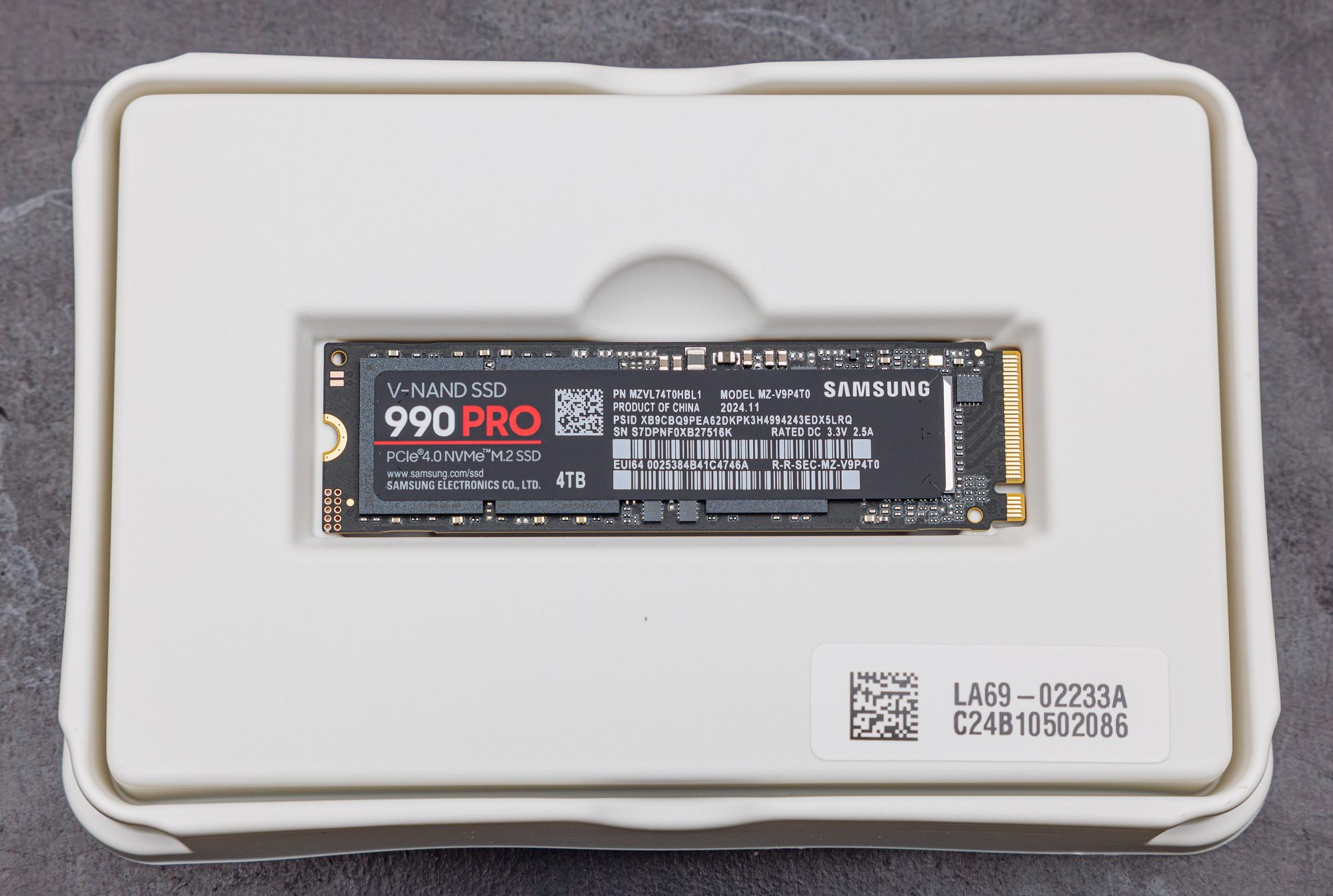
Featured image: Samsung 990 PRO 4TB, photo by Dinkun Chen via Wikimedia Commons, licensed CC BY-SA 4.0.