Some links are affiliate links. They help cover our hosting and upkeep, at no extra cost to you. Read our affiliate disclosure.
Prices change often and can’t be guaranteed — check the retailer before you buy.
If you’re hunting a Black Friday gaming PC deal, the hard part isn’t finding a red price. It’s telling a genuine cut from a box that’s been dressed up with last year’s graphics card and a “was” figure that never really sold. This UK checklist is for running down a listing: the specs that matter, the traps that come up every year, and how to compare the offer with what that kind of machine usually costs. It isn’t a hands-on test of one PC.
Current shortlists are on our gaming PC deals page, and the wider sale lives on the Black Friday tech deals hub. If you want a year-round shortlist rather than a deals checklist, see our best budget gaming PC UK guide. For the bigger “PC or console” question, there’s is a gaming PC worth it over a console.
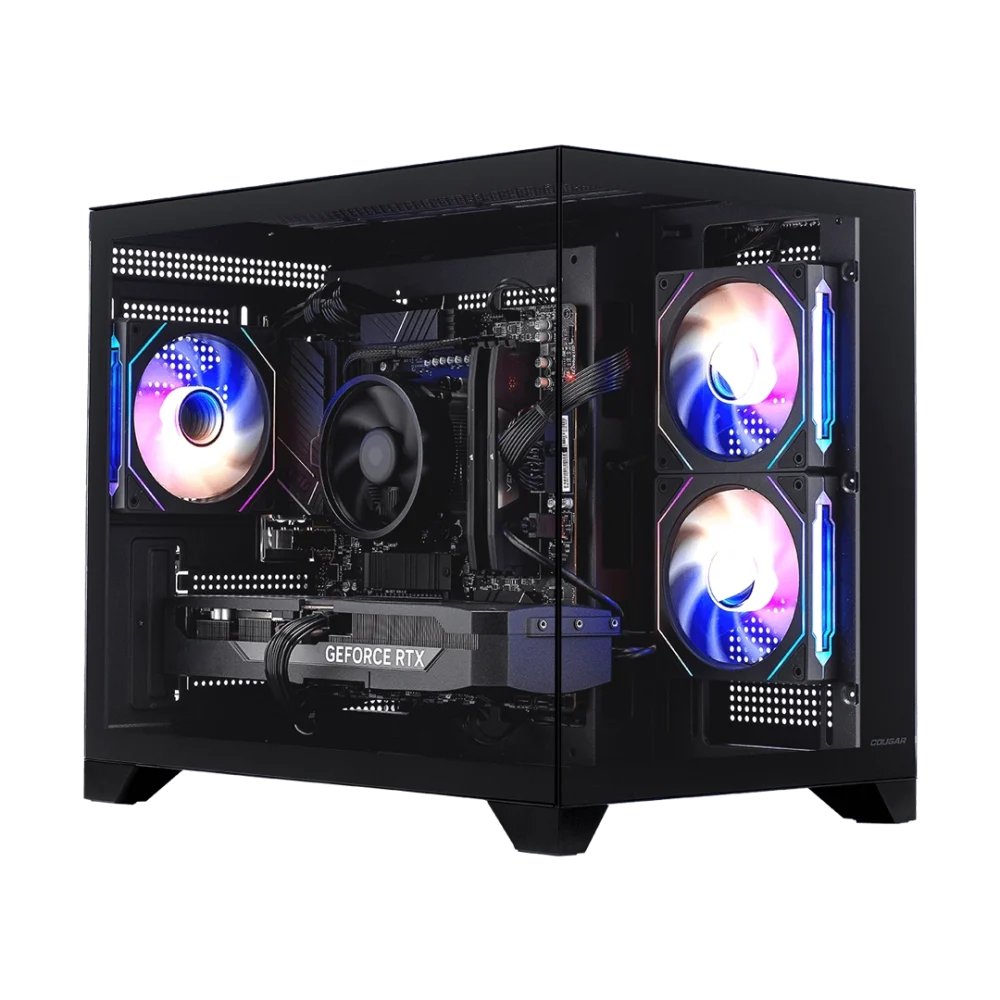
Quick picks
Use these as a first pass, then read the checklist below before you buy. The examples are listings from our gaming PC deals page, not machines we’ve put through a test bench.
- Current-gen GPU in the name, not just a flashy case: the Acer Predator PO3-665 RTX 5070 is the kind of listing to start with — a current RTX 50-series card, 12GB of VRAM, a Core i5-14400F, 16GB of DDR4 (upgradable to 32GB) and a 512GB SSD, according to the deals-page listing. Check price at Box.
- A current 5060 from the Stormforce list: the Stormforce Rogue Core is listed with a Ryzen 5 5500F and an RTX 5060, and Stormforce shows more than one configuration — so check the live page for the exact RAM and storage. See it at Stormforce.
- More RAM and a bigger SSD in the listing: the Medion Erazer Engineer X30 RTX 5060 Ti is listed with a Core i7-14700, 12GB VRAM, 32GB of RAM and a 2TB SSD — the sort of storage and memory that won’t need an upgrade the week after you buy it. Check price at Box.
- Then check the live price against recent selling prices, not only the strikethrough. If the GPU generation, RAM layout, PSU brand or SSD size looks off, walk away — another deal will turn up.
The specs that actually matter
Ignore the RGB and the bundle of leftover cables. Work through the listing in this order.
Graphics card. Read the exact model, not “RTX ready” or “4K capable”. For Black Friday 2026, a current 50-series Nvidia card or a current AMD equivalent is what you want in a new pre-built. Note the VRAM: 8GB is tight for newer titles at 1440p; 12GB is more comfortable. If the GPU is a generation or two behind — an RTX 3050 or 3060 in a new case, for example — the discount has to be steep enough to compete with a used card, not with a new 50-series machine.
Processor. A mid-range modern CPU (a current or last-gen Core i5 / Ryzen 5 or better) is usually enough if the GPU is doing the heavy lifting. What you don’t want is an older office chip paired with a decent card, or a strong CPU hiding a weak GPU. Check that it has enough cores for your use, and that it isn’t a laptop chip dropped into a desktop listing.
Memory. 16GB is the floor for a 2026 gaming PC; 32GB is more comfortable if you keep a browser and Discord open. Just as important is how it’s fitted: two 8GB sticks (dual channel) will outperform a single 16GB stick in a lot of games. The listing should say 2×8GB or 2×16GB. If it only says “16GB” and goes quiet, treat that as a question to settle before you pay.
Storage. A 512GB SSD fills up quickly once Windows, a launcher and two or three modern games are on it. 1TB is a more realistic starting point; 2TB, as on the Medion listing above, is the one that won’t have you shopping for another drive a week later. Confirm it’s an NVMe SSD, not a tiny SSD plus a slow hard disk being counted together as “2TB storage”. For upgrades later, our RAM and storage upgrades guide is the better place to start.
Power supply. This is the part a lot of cheap pre-builts skimp on. You want a named brand and a sensible wattage for the GPU — often 650W to 750W Gold for a mid-range 50-series card, with enough headroom if you upgrade later. A no-name “750W” unit with no 80 Plus (or equivalent) rating is a trap, not a saving. If you’re sizing a supply for a particular AMD card, we have a separate note on what PSU you need for the RX 9070 XT.
Cooling, case and warranty. Check for decent case airflow and a cooler that matches the CPU, plus a UK warranty and a returns window you’re happy with. A three-year collect-and-return policy is worth more than a rainbow badge on the side panel.
The traps to avoid
Old GPUs in new clothes. Retailers still sell last-generation and budget last-but-one cards in fresh cases, sometimes under a “gaming PC” banner. The Stormforce Carbon Core on our deals page is listed with a Ryzen 5 5500F and an RTX 3050 6GB — a usable starter, but it is not the same class as a current 5060 machine and shouldn’t be priced as if it were. Read the GPU line twice.
Single-channel RAM. One stick is cheaper for the builder and slower for you. It also leaves you buying a matched second stick later, if you can find one. Dual channel should be the default on any deal you’d actually take.
No-name PSUs. A bargain PC with an unbranded supply is asking you to take the risk. Named units from the usual makers, with a published efficiency rating and a proper warranty, are the baseline. If the listing won’t name the PSU at all, that is your answer.
Tiny SSDs. 256GB or a “256GB SSD + 1TB HDD” combo is a 2018 build wearing 2026 marketing. You’ll be uninstalling games to fit the next one. Budget for 1TB of SSD if you can; treat anything smaller as a short-term compromise you should be compensated for in the price.
A “was” price that never was. A huge strikethrough is not a deal. Look at whether that PC, or a very close spec, has been sitting at the “sale” price for weeks. If the only evidence of a discount is the retailer’s own “was” figure, keep walking.
Other regular catches. No operating system (or a trial), “up to” Wi-Fi claims, a slow HDD counted in the storage total, and bundle padding — a cheap mouse and a 60Hz monitor added on so the headline saving looks bigger. Price the PC on its own merits first.
How to compare against normal prices
A good Black Friday gaming PC deal is one that undercuts what that spec has actually been selling for, not what a poster says it used to cost. Compare the same GPU, a similar CPU, the same RAM capacity and the same SSD size. A 5070 machine with 512GB of storage is not the same product as a 5070 with 2TB.
Use more than one shop, including the Black Friday hub and the pre-builts on gaming PC deals (Box.co.uk and Stormforce listings are both linked there). Check whether the model has been at today’s figure outside the sale. We don’t print a live pound figure here, because prices move and they can’t be guaranteed — check the retailer before you buy.
Pros and cons of buying a pre-built this Black Friday
Pros: you get a complete, warrantied machine in one box, often cheaper than buying every part in a quiet month. Builders sometimes pass on GPU or bundle discounts you wouldn’t see on a single component. If you’d rather play than assemble, a decent pre-built is the less stressful route.
Cons: you inherit the builder’s compromises — short RAM, a modest SSD, a tight PSU — and those are exactly the corners that get cut when a “deal” needs to hit a price point. Upgrades can be fiddlier if the case, motherboard or cooler is awkward. And a bad spec at a sale price is still a bad spec.
Where to buy in the UK
Specialist stores such as Overclockers UK, Scan and Currys are worth checking for pre-builts and PC parts, alongside the Box and Stormforce listings we already link from the deals pages. Compare price, delivery, stock and returns before you buy.
Verdict
Our view from listings, not hands-on testing. A genuinely good Black Friday gaming PC deal is one you’d still want if the sticker was written in black. Start with a current-generation GPU and enough VRAM, dual-channel RAM, a known-brand PSU and an SSD you can actually live with, then compare the live price with what that spec usually sells for. The Predator RTX 5070 listing is a fair example of a current-gen sheet; the Stormforce Rogue Core is a current 5060 example (check the configuration on Stormforce); the Medion RTX 5060 Ti listing shows what extra RAM and storage look like on paper. Walk away from old GPUs, single sticks of RAM, no-name supplies and tiny drives, however red the price is. Read how we test. Live shortlists: gaming PC deals and the Black Friday hub.
Related: best budget gaming PC UK, Black Friday 2026 in the UK: what to expect, and RAM and storage upgrades.
FAQ
How do I tell if a Black Friday gaming PC deal is actually good?
Read the exact GPU, RAM layout, SSD size and PSU brand, then compare the live price with what that sort of spec has actually been selling for — not the retailer’s strikethrough. A current-generation card, dual-channel RAM, a named PSU and at least 1TB of SSD is a healthy starting point.
What are the biggest traps on a Black Friday pre-built?
Old GPUs in new cases, a single stick of RAM, no-name power supplies, tiny SSDs, and ‘was’ prices that don’t match recent selling prices. If the listing won’t name the PSU or say whether the RAM is two sticks, treat that as a warning.
How much RAM and storage should a 2026 gaming PC have?
16GB of RAM is the floor and 32GB is more comfortable. Prefer two sticks (dual channel) over one. For storage, 512GB fills up quickly; 1TB of NVMe SSD is a more realistic start, and 2TB gives proper headroom.
Should I buy a pre-built or build my own this Black Friday?
A decent pre-built is simpler and often cheaper in the sale if the spec is honest. Building it yourself gives you control over the PSU, RAM and SSD, but only if you’re happy to assemble it and the parts are actually in stock. Either way, judge the deal on the same checklist.
Where do you keep current UK gaming PC deals?
On our gaming PC deals page, with the wider sale on the Black Friday tech deals hub. Prices change, so check the retailer before you buy.
Enjoyed this? Follow along for more guides and deals. More guidesXInstagramFacebookWhatsAppTelegram