As an Amazon Associate, TrueNorth Tech X earns from qualifying purchases. Read our affiliate disclosure.
If you’re after a cheap laptop for homework, browsing, email or the odd film, you’ll soon hit the big question: Chromebook vs Windows laptop? At the budget end, they can look almost identical, with the same size screens and similar prices. But they work very differently, and picking the wrong one can be frustrating. Here’s a plain-English guide to the differences that actually matter.
Quick answer
- Get a Chromebook if you mostly use the web, Google Docs or Microsoft 365 online, and you want something simple, quick and low-maintenance.
- Get a Windows laptop if you need specific Windows software, the full desktop Microsoft Office apps, or PC games.
- On a tight budget, a Chromebook usually copes better with 4GB of RAM than Windows does.
Prices change often. Tap Check price on Amazon for today’s price.
| Product | Key spec | UK price at time of writing | Best for | Link |
|---|---|---|---|---|
| HP Chromebook 14 (14a-nf0002sa) | Intel N100, 4GB RAM, 128GB UFS, 14in HD screen | Check price | More storage, Wi-Fi 6E | View in our shop |
| Lenovo IdeaPad Slim 3 Chromebook 14 | MediaTek Kompanio 520, 4GB RAM, 64GB eMMC, 14in Full HD screen | Check price | Long battery, light to carry | View in our shop |
What is a Chromebook, exactly?
A Chromebook runs Google’s ChromeOS rather than Windows. Most of what you do happens in the Chrome browser and in web apps, and you sign in with a Google account. Chromebooks can also run Android apps from Google Play, so lots of familiar phone apps work too. What they can’t do is install ordinary Windows programs.
A Windows laptop runs the same Windows 11 you’d find on most PCs, so it can run almost any desktop software, from full Microsoft Office and Adobe apps to Steam games, if the hardware is powerful enough.
Apps and Microsoft Office
This is where most people decide. On a Chromebook, Microsoft says you should use Microsoft 365 through the web at microsoft365.com, and Outlook at outlook.com. You can create and edit Word, Excel and PowerPoint files there, but you can’t install the desktop Office apps, and Microsoft’s Android Office apps aren’t supported on Chromebooks.
For most schoolwork and home admin, the web versions are fine. If a school, college or job needs a specific Windows program, such as certain accounting, engineering or design software, you’ll need Windows. Check before you buy.
Updates and how long it’ll last
Chromebooks update themselves quietly in the background. Google’s Auto Update policy says ChromeOS devices get 10 years of updates from the date their platform was released, not from when you buy one. So an older model on sale today will have fewer years left.
Every Chromebook has a published end date. Google’s list shows June 2033 for the Lenovo Slim 3 Chromebook 14, for example. Before buying any model, check its date on Google’s list, or look it up in the settings once you have it.
Windows laptops get Windows updates too, but you’ll need to keep an eye on them yourself, along with antivirus and driver updates. If you’re still on an older version, our piece on Windows 11 24H2 security updates ending explains why staying current matters.
Specs: why 4GB means different things
Microsoft’s minimum requirements for Windows 11 are 4GB of RAM and 64GB of storage. That’s the minimum, not a comfortable amount. In our view, a Windows laptop with 4GB will feel slow once you open a few browser tabs and an app or two. For Windows, we’d look for at least 8GB of RAM and a 256GB SSD.
ChromeOS is lighter, so budget Chromebooks with 4GB of RAM are common and fine for browsing and documents. Both of the models in our table have 4GB. Neither lets you upgrade memory later: Lenovo’s spec sheet lists its RAM as soldered and not upgradable, and HP lists onboard memory.
The two Chromebooks compared
- HP Chromebook 14: HP’s spec sheet lists an Intel N100 processor, 4GB of LPDDR5 RAM, 128GB of UFS storage and a 14-inch HD (1366 x 768) screen. It also has Wi-Fi 6E, USB-C and USB-A ports, and up to 12 hours of battery life. It weighs 1.45kg.
- Lenovo IdeaPad Slim 3 Chromebook 14: MediaTek Kompanio 520, 4GB of RAM and 64GB of eMMC storage. This model has a Full HD screen, which Lenovo’s spec sheet lists as a TN panel, plus a microSD slot. Lenovo quotes up to 13.5 hours of battery life in Google’s test, and it weighs around 1.3kg.
The HP’s larger, faster storage is the bigger deal day to day. The Lenovo is lighter, lasts longer on paper and has the sharper screen, but 64GB fills up fast. Its microSD slot helps with photos and files.
Gaming, printing and other gotchas
- Games: most PC games won’t run on a Chromebook. A cheap Windows laptop won’t run demanding games well either, so if gaming matters, budget for a gaming laptop or a console.
- Printers and accessories: most modern printers, mice and keyboards work with both, but check that a specialist device, like a label printer or scanner, supports ChromeOS before you buy.
- Offline use: a Chromebook works offline for many tasks, but it’s at its best with a Wi-Fi connection.
Both Chromebooks are in the laptops section of our shop. For more desk kit, see our desk gadgets guide.
Verdict
For browsing, email, homework and streaming, a Chromebook is the simpler, cheaper and lower-maintenance choice, especially at the budget end, where Windows struggles with 4GB of RAM. Of our two picks, the HP Chromebook 14 is the better all-rounder thanks to its 128GB of storage. Choose a Windows laptop if you need specific Windows software or the full desktop Office apps, and spend enough to get at least 8GB of RAM. We haven’t tested these laptops ourselves; the specs here come from HP, Lenovo, Google and Microsoft. See how we test and choose products.
FAQ
Can you use Microsoft Word on a Chromebook?
Yes, through the web. Microsoft says to use Microsoft 365 at microsoft365.com on a Chromebook. You can’t install the desktop Office apps, and the Android Office apps aren’t supported on Chromebooks.
How long do Chromebooks get updates?
Google says ChromeOS devices get 10 years of automatic updates from the platform’s release date. Check the exact date for any model on Google’s Auto Update policy page.
Is 4GB of RAM enough for a laptop?
For a Chromebook used for browsing and documents, usually yes. For Windows 11, 4GB is Microsoft’s minimum, and we’d recommend at least 8GB for a smoother experience.
Can a Chromebook run Windows programs?
No, Chromebooks can’t install normal Windows software. They run web apps and Android apps from Google Play instead.
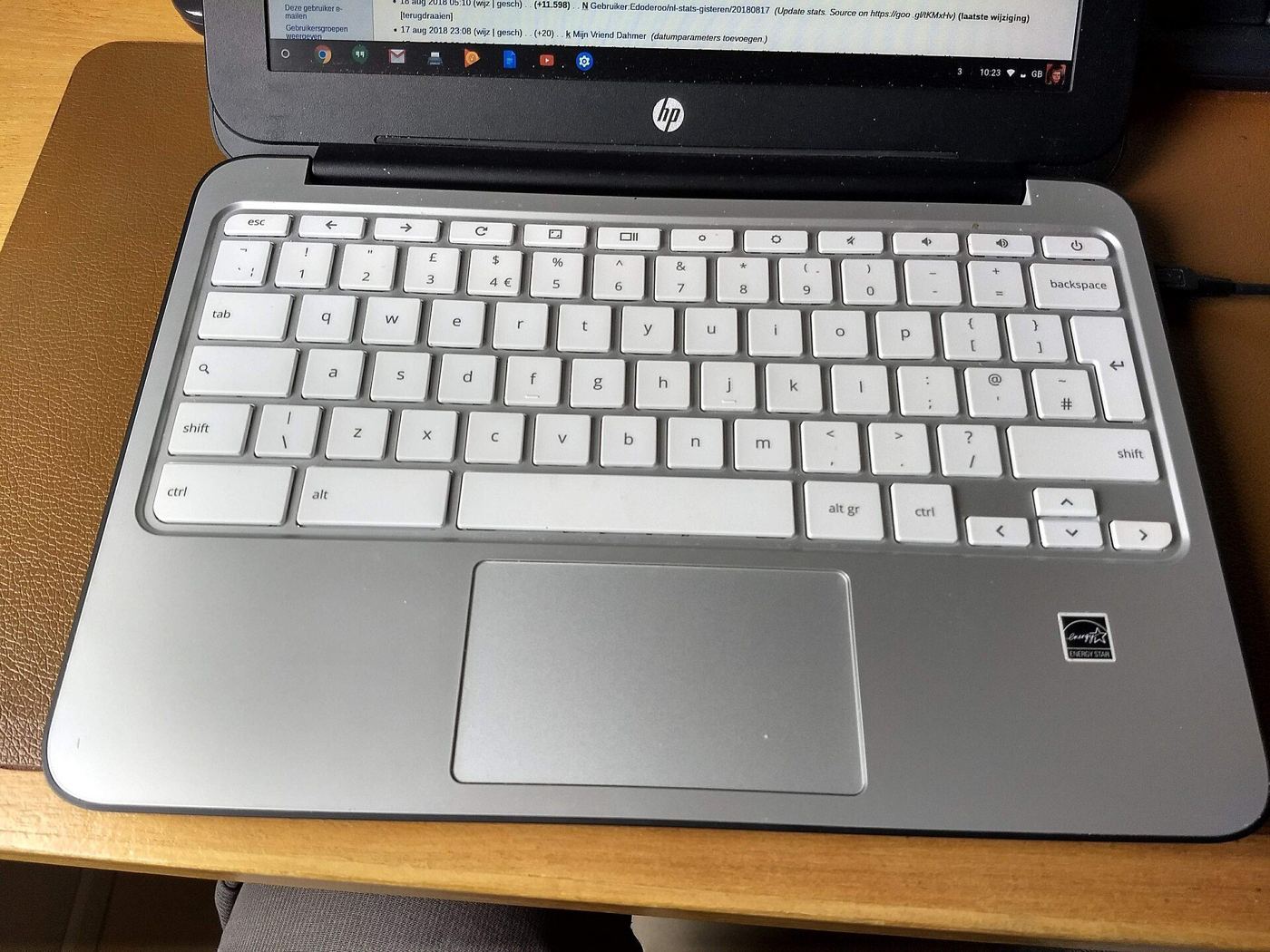
Featured image: HP Chromebook 11 G2, photo by Edoderoo via Wikimedia Commons, CC BY-SA 4.0.