As an Amazon Associate, TrueNorth Tech X earns from qualifying purchases. Read our affiliate disclosure.
Every new streamer hits the same question in the first week: is the mic on my headset good enough, or do I need a proper USB microphone? I’ve heard plenty of streams where the gameplay was spot on and the voice sounded like it was coming down a drainpipe, so it’s a fair question. The honest answer to USB mic vs headset mic is that a good headset mic is fine for chatting with mates, but if people are tuning in to hear you, a desk USB mic is the single biggest upgrade you can make for the money.
Quick answer
- Just starting out, mostly gameplay: a decent headset mic like the HyperX Cloud III’s will do. Spend the money on nothing yet.
- Talking a lot, or doing just chatting streams: add a USB condenser mic like the HyperX SoloCast 2 and keep the headset for listening.
- Don’t rely on a webcam mic: the Logitech C920’s built-in mics are a backup, not a streaming mic.
- Placement beats price: a cheap mic close to your mouth sounds better than a dear one across the desk.
Prices change often and can’t be guaranteed. We don’t type Amazon prices into our guides; tap Check price on Amazon for today’s price.
Quick comparison
What’s actually different about a USB mic?
Both the SoloCast 2 and the Cloud III’s boom mic use electret condenser capsules, so it isn’t a case of one being ‘proper’ and the other a toy. The difference is size, pattern and position. According to HyperX, the SoloCast 2 has a 14mm capsule with a cardioid pickup pattern, records at up to 24-bit/96kHz and plugs in over USB-C. HyperX’s Cloud III page lists a detachable 10mm mic with a uni-directional, noise-cancelling design and a mesh filter.
A bigger capsule generally picks up a fuller, richer voice, and a cardioid mic is built to hear what’s in front of it and less of what’s to the sides and behind. A noise-cancelling headset mic is tuned the other way: it’s designed to cut background noise and keep you intelligible, which is brilliant for a noisy house and party chat, but it tends to sound thinner. That’s the trade-off in a nutshell.
When a headset mic is enough
If your stream is mostly gameplay with the odd callout, your viewers won’t mind a good headset mic. It stays the same distance from your mouth however much you lean about, which is more than you can say for a desk mic, and the noise-cancelling helps if there’s a telly on in the next room. The Cloud III also works over 3.5mm, USB-C or USB-A, so the same headset does your PC, PS5 and Xbox. See the HyperX Cloud III in our shop, or read our best gaming headsets for Xbox and PC guide if you’re still choosing one.
On a tight budget, start here. Our best gaming headset under £50 guide has cheaper picks with usable mics.
When a USB mic is worth it
The moment you’re talking more than you’re playing, whether that’s commentary, ‘just chatting’ or reacting to viewers, the USB mic earns its place. The SoloCast 2 is a simple choice for a first one: it’s plug and play over USB, HyperX lists PC, Mac, PS4 and PS5 compatibility, and there’s a tap-to-mute pad on top, which you’ll be glad of when the dog starts barking. HyperX also says it has a built-in stand, and reviewers note it’ll screw onto a mic arm too. See the HyperX SoloCast 2 in our shop.
Keep your headset on for listening. A desk mic plus speakers is a recipe for echo, as the mic hears your game audio and sends it straight back out to your viewers.
Don’t use your webcam as a microphone
It’s tempting, because the Logitech C920 has stereo mics built in, and they’re fine for a video call. But a webcam sits on top of your monitor, an arm’s length away, and picks up the whole room. Use it for what it’s good at: 1080p video. If you want the webcam for your face cam, see the Logitech C920 in our shop, and set the mic source in your streaming software to the SoloCast 2 or headset instead.
Setup tips that matter more than the mic
- Get close: a hand-span or so from your mouth is a good starting point for a desk mic. Speak across it rather than straight into it to keep popping ‘p’ sounds down.
- Point it right: a cardioid mic hears what’s in front of it, so aim the front at you and the back at your PC’s fans and the window.
- Set your levels: in OBS or your streaming app, talk at your normal volume and keep the meter out of the red. Too hot is worse than a touch quiet.
- Soften the room: curtains, a rug and a sofa behind you do more for a bare bedroom than any filter.
- Tidy the cables: a long, decent USB cable gives you room to place the mic properly. Our shop has a 3m braided USB-A to USB-C cable, and a headset stand with a USB hub keeps the desk sorted.
Where to buy in the UK
As well as Amazon, specialist UK shops such as Overclockers UK, Scan and Currys stock streaming mics and gaming headsets, so it’s worth comparing a couple before you buy, especially around Black Friday.
Verdict
For most new streamers, the right order is: decent headset first, USB mic second, and fancy extras much later. If you mainly play, a headset mic like the Cloud III’s is genuinely good enough. If you talk, a USB condenser mic like the SoloCast 2 is the upgrade your viewers will notice straight away. We haven’t run a side-by-side test of these three products for this guide; it’s based on the makers’ published specifications and our general experience of setting up streaming kit. See how we test and choose products.
FAQ
Is a USB mic better than a headset mic for streaming?
Usually, yes, for voice. A desk USB condenser mic like the HyperX SoloCast 2 has a larger capsule than most headset boom mics and generally sounds fuller. A headset mic is fine for gameplay-led streams and party chat.
Can I use a USB mic and a gaming headset together?
Yes. Set the USB mic as your input in your streaming software and keep the headset on for listening, which also stops game audio echoing into the mic.
Does the HyperX SoloCast 2 work with PS5?
HyperX lists PC, Mac, PS4 and PS5 compatibility for the SoloCast 2, which connects over USB.
Is a webcam mic good enough for streaming?
Not really. Webcam mics like the Logitech C920’s are fine for video calls, but they sit far from your mouth and pick up the whole room. Use a headset or USB mic instead.
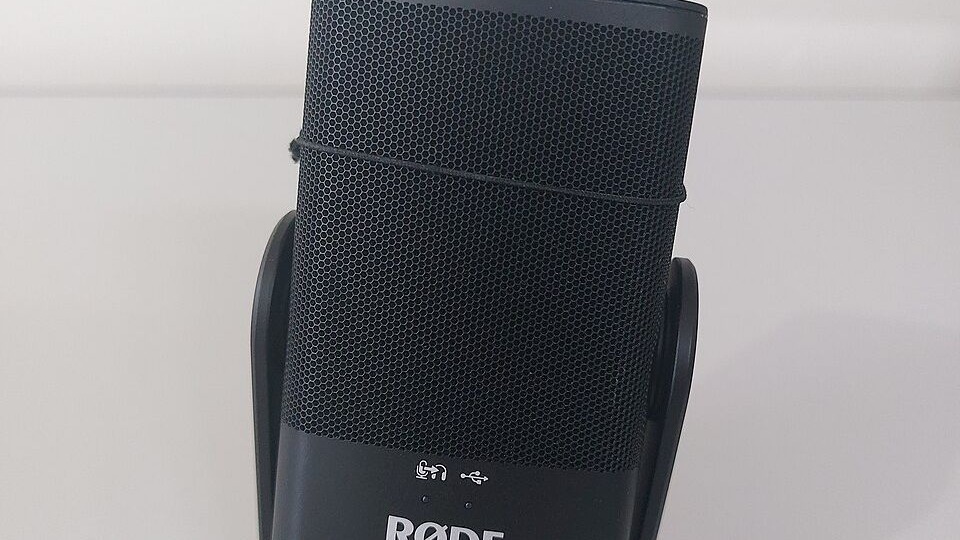
Featured image: Røde NT-USB Mini USB microphone, photo by Martin Michlmayr via Wikimedia Commons, CC BY-SA 4.0, cropped.
Enjoyed this? Follow along for more guides and deals. More guidesXInstagramFacebookWhatsAppTelegram