Wi-Fi 7 routers are now on sale, and new phones and laptops increasingly support it. But if you already have a Wi-Fi 6 router, is it worth upgrading? The answer depends less on headline speeds and more on your broadband, your devices and your home. Here’s Wi-Fi 6 vs Wi-Fi 7, explained in plain English.
Quick answer
- Wi-Fi 7 is faster and more responsive, thanks to wider 320MHz channels, Multi-Link Operation and 4K QAM.
- You only get the benefits if your devices support Wi-Fi 7 too.
- Wi-Fi 6 is still plenty for most UK homes, especially on broadband under 1Gbps.
- Upgrade if you have very fast full-fibre, lots of new devices, or a busy home where Wi-Fi struggles.
What is Wi-Fi 6?
Wi-Fi 6 is the generation that became common in routers and devices over the past few years. It works on the 2.4GHz and 5GHz bands and was designed to cope better with lots of devices at once. Wi-Fi 6E is an extension that added access to the newer 6GHz band, where there’s less congestion from neighbours’ networks.
What’s new in Wi-Fi 7?
The Wi-Fi Alliance launched Wi-Fi CERTIFIED 7 in January 2024. Its headline features are:
- 320MHz channels: double the widest channel size of previous generations, for multi-gigabit speeds. The Wi-Fi Alliance says these are available in countries that open the 6GHz band to Wi-Fi.
- Multi-Link Operation (MLO): lets a device send and receive data over more than one link at the same time, for example across different bands. That means more throughput, lower latency and better reliability.
- 4K QAM: packs more data into the signal, giving 20% higher transmission rates than the 1024 QAM used by Wi-Fi 6, according to the Wi-Fi Alliance.
- Better handling of busy networks: features that help the router share the airwaves more efficiently, which the Wi-Fi Alliance’s technology overview says increases capacity.
Wi-Fi 6 vs Wi-Fi 7: what difference will you notice?
Speed
In ideal conditions, Wi-Fi 7 is much faster. But your Wi-Fi can’t make your broadband faster than the plan you pay for. If you’re on a typical broadband deal below 1Gbps, a good Wi-Fi 6 router can usually already deliver most of that speed to nearby devices. Wi-Fi 7’s extra speed matters most on multi-gigabit full-fibre, or for moving big files between devices on your home network.
Latency and reliability
This is where Wi-Fi 7 can make a real difference day to day. Multi-Link Operation can help with online gaming, video calls and VR, where steady, low-latency connections matter more than raw speed.
Busy homes
If your household has lots of phones, laptops, consoles, TVs and smart home gadgets, Wi-Fi 7’s efficiency improvements and access to 6GHz can help keep everything running smoothly.
Range
Wi-Fi 7 doesn’t magically fix dead spots. The 6GHz band, where Wi-Fi 7’s widest channels live, generally doesn’t travel as far through walls and floors as 2.4GHz or 5GHz. In a larger home, router placement, and possibly a mesh system, matter more than the Wi-Fi generation. See our guide to how to set up mesh Wi-Fi.
Wi-Fi 7 and the 6GHz band in the UK
Ofcom opened the lower 6GHz band (5925 to 6425MHz) to Wi-Fi, which is what Wi-Fi 6E and Wi-Fi 7 devices use for their fastest connections. In a newer statement, Ofcom says it has made regulations that extend licence-exempt Wi-Fi access up to 6585MHz, with the change coming into force on 10 November 2026. More spectrum gives Wi-Fi more room, which helps with wide channels like Wi-Fi 7’s.
Do your devices support Wi-Fi 7?
To get Wi-Fi 7’s benefits, both your router and your device need to support it. Wi-Fi 7 routers still work with older Wi-Fi devices, but those devices connect using their own, older standard. Check your phone or laptop’s spec sheet for “Wi-Fi 7” or “802.11be”. If you’re buying a new laptop anyway, our Chromebook vs Windows laptop guide can help you choose.
Should you upgrade?
- Upgrade to Wi-Fi 7 if: you have multi-gigabit full-fibre, several Wi-Fi 7 devices, a busy home network, or you’re replacing an old router anyway.
- Stick with Wi-Fi 6 if: it’s working well, your broadband is under 1Gbps, and most of your devices are a few years old.
- Fix coverage first if: the problem is dead spots rather than speed. A mesh system or better router placement may help more.
Thinking of buying in the sales? Our Black Friday 2026 guide explains what to expect, and our desk gadgets guide has more upgrade ideas.
Verdict
Wi-Fi 7 is a genuine step forward, with wider channels, Multi-Link Operation and better efficiency. But for most UK homes today, a good Wi-Fi 6 or 6E router is still enough. Upgrade when you have the broadband and devices to use it, or when your current router needs replacing anyway. We haven’t tested specific routers for this guide; it’s based on the Wi-Fi Alliance’s specs and Ofcom’s published decisions. See how we test and choose products.
FAQ
Is Wi-Fi 7 faster than Wi-Fi 6?
Yes, in the right conditions. Wi-Fi 7 adds 320MHz channels, Multi-Link Operation and 4K QAM. But you need Wi-Fi 7 devices, and your broadband speed still sets the limit for internet use.
Will my Wi-Fi 6 devices work with a Wi-Fi 7 router?
Yes. Wi-Fi 7 routers work with older devices, but those devices connect at their own standard’s speeds.
What is Multi-Link Operation?
It’s a Wi-Fi 7 feature that lets a device send and receive data over more than one link at once, improving speed, latency and reliability.
Can I use 6GHz Wi-Fi in the UK?
Yes. Ofcom has opened the lower 6GHz band to Wi-Fi, and it says a further extension comes into force on 10 November 2026.
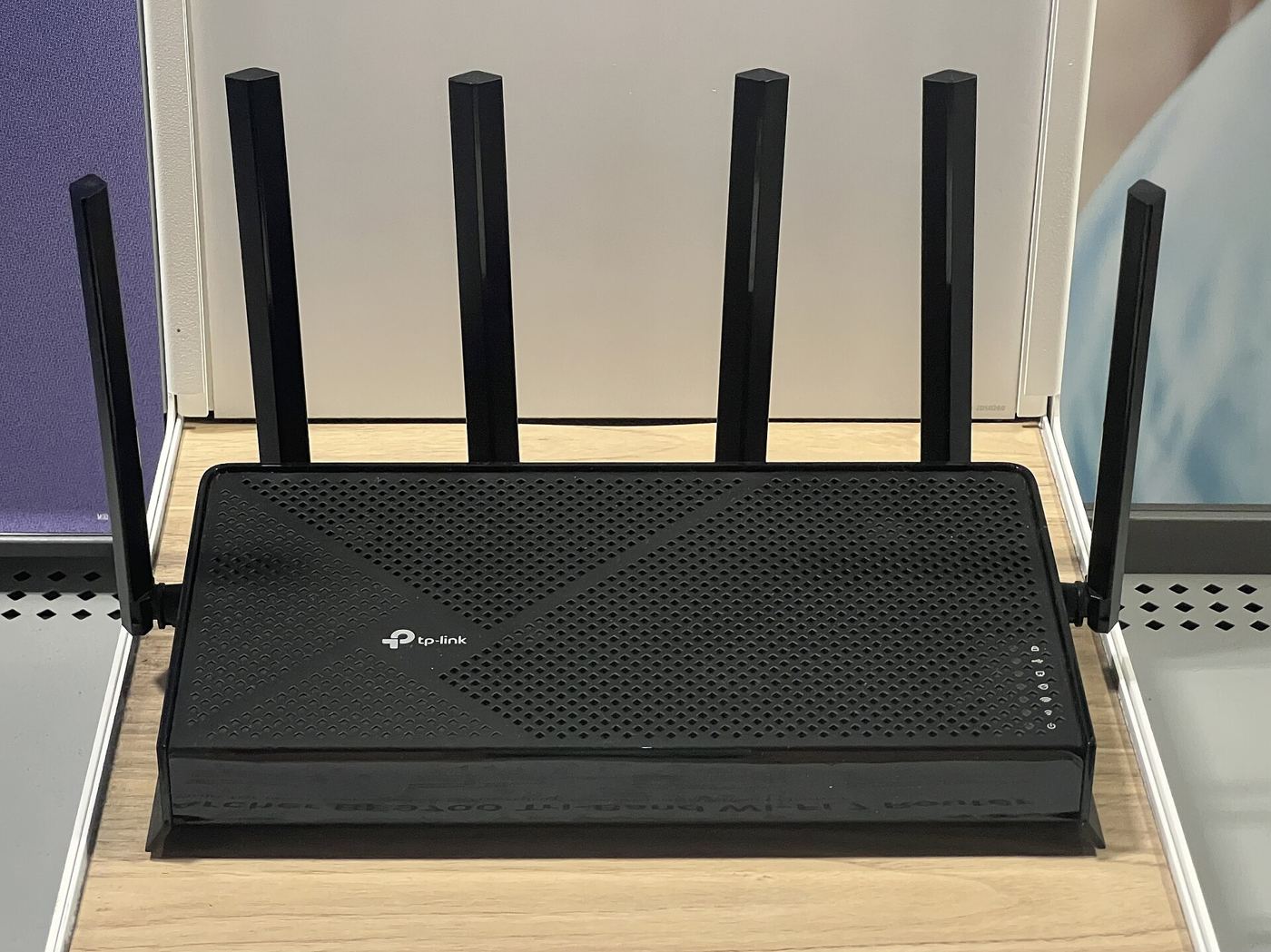
Featured image: TP-Link Archer BE9700 router, photo by TaurusEmerald via Wikimedia Commons, CC BY-SA 4.0.